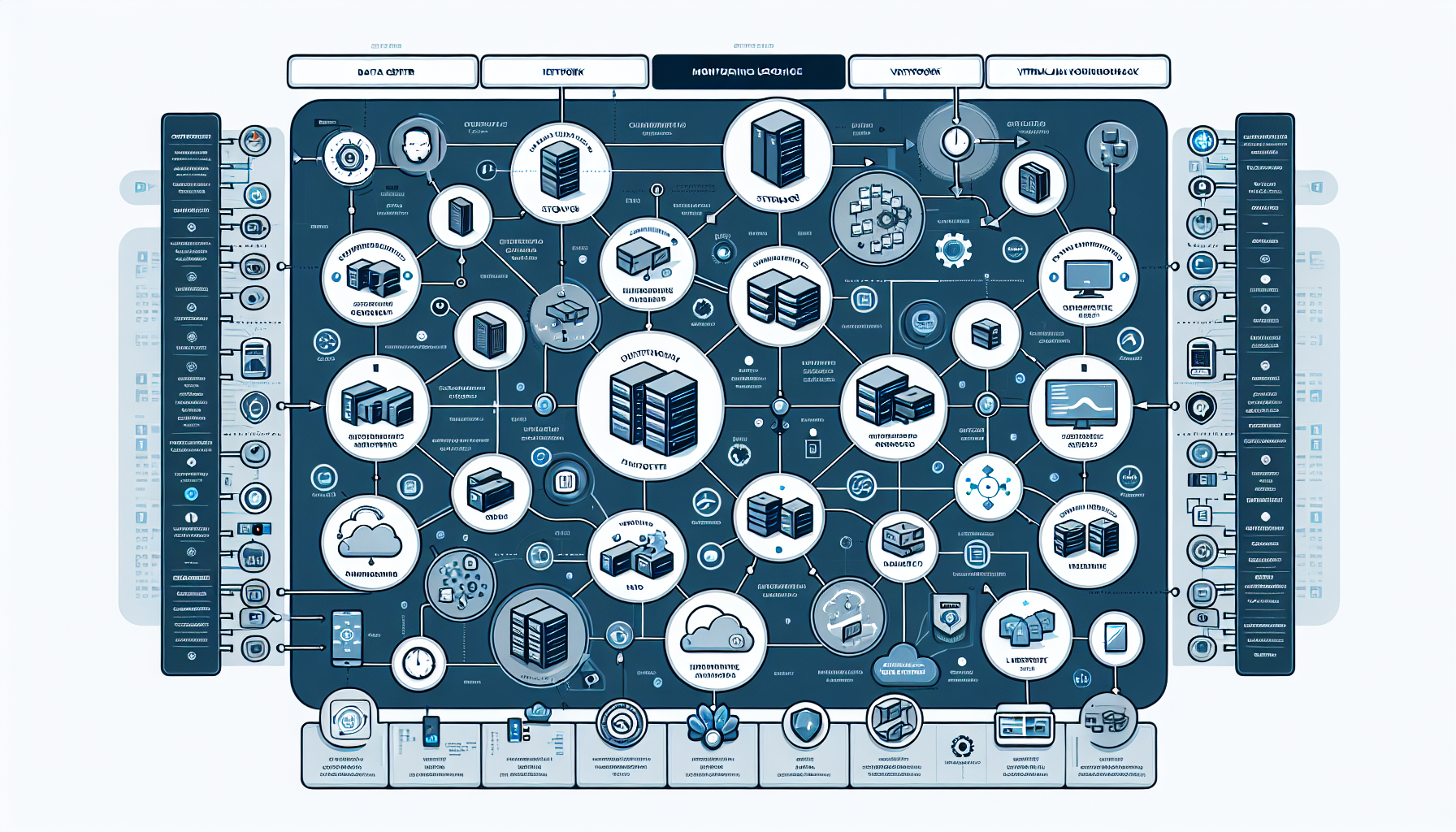
Monitoring and logging keep your infrastructure healthy, performant, and secure. Here’s how to set them up effectively:
1. Define Your Objectives
Before implementing monitoring and logging, clearly define what you want to achieve:
- Proactive Issue Detection: Identify issues before they affect users.
- Performance Optimization: Monitor resource usage to optimize performance.
- Capacity Planning: Track trends to plan for future scaling needs.
- Security Monitoring: Detect suspicious activities.
- Compliance: Meet regulatory requirements with logging and auditing.
2. Identify Key Areas to Monitor
Focus on the critical components of your infrastructure:
- Datacenter: Monitor cooling systems, power usage, rack temperature, and network connectivity.
- Servers: Track CPU, RAM, disk I/O, network bandwidth, and uptime.
- Storage: Monitor disk utilization, performance metrics (IOPS), and latency.
- Backup: Ensure backups are running as scheduled and validate the integrity of backups.
- Virtualization: Monitor hypervisors (e.g., VMware, Hyper-V), VM resource allocation, and host health.
- Operating Systems: Use tools to monitor Windows and Linux health, resource usage, and logs.
- Kubernetes: Monitor pod health, node status, cluster performance, and resource utilization.
- AI Workloads: Track GPU utilization, memory usage, and inference latency.
- Network: Monitor bandwidth, latency, packet loss, and firewall logs.
- Security: Track login attempts, privilege escalations, and unusual network activity.
3. Choose Monitoring Tools
Select tools based on the complexity and scale of your infrastructure:
- Datacenter Monitoring: Tools like Schneider Electric EcoStruxure or Datacenter Infrastructure Management (DCIM) solutions.
- Server and Virtualization Monitoring: Nagios, Zabbix, SolarWinds, PRTG, or Veeam ONE.
- Storage Monitoring: Vendor-specific tools (e.g., Dell EMC Unisphere, NetApp Active IQ).
- Backup Monitoring: Tools like Veeam Backup & Replication, Commvault, or Rubrik.
- Linux and Windows: Use Prometheus, Grafana, Telegraf, and Windows Performance Monitor.
- Kubernetes Monitoring: Tools like Prometheus, Grafana, Datadog, or Kubernetes Dashboard.
- AI and GPU Monitoring: NVIDIA DCGM (Data Center GPU Manager), Prometheus with custom metrics.
- Network Monitoring: Wireshark, SolarWinds Network Performance Monitor, or PRTG.
- Security Logging: SIEM solutions like Splunk, QRadar, Elastic Security, or Graylog.
4. Implement Logging
Logging is complementary to monitoring and provides deeper insights into system events:
- Centralized Logging: Implement a log aggregation system like ELK Stack (Elasticsearch, Logstash, Kibana), Splunk, or Fluentd.
- Log Retention: Define policies for log retention based on compliance needs.
- Log Rotation: Set up log rotation to avoid disk space issues.
- Log Analysis: Use tools to parse and analyze logs to identify patterns and anomalies.
5. Configure Alerts
- Set up threshold-based alerts for key metrics (e.g., CPU > 80%, Disk > 90%).
- Use event-driven alerts for critical log entries (e.g., failed login attempts, hardware failure).
- Integrate alerts with communication platforms like Slack, Microsoft Teams, PagerDuty, or email.
6. Automate Monitoring
Where possible, automate monitoring and responses:
- Use Infrastructure-as-Code (IaC) tools like Terraform or Ansible to deploy monitoring agents automatically.
- Implement scripts to auto-remediate common issues (e.g., restarting a service if it crashes).
7. Set Up Dashboards
Create dashboards for real-time visibility into your infrastructure:
- Use tools like Grafana or Kibana to visualize metrics and logs.
- Build dashboards tailored to different teams (e.g., DevOps, Security, Network Ops).
8. Regular Reporting
Generate periodic reports to review:
- Infrastructure performance trends.
- Security events.
- Backup success rates.
- Capacity utilization.
Use these reports to plan for upgrades, scaling, or addressing vulnerabilities.
9. Conduct Regular Audits
Periodically audit your monitoring and logging setup:
- Ensure all critical systems are being monitored.
- Validate the accuracy of alerts and logs.
- Review and improve configurations based on new challenges or technologies.
10. Consider Cloud Monitoring
If you’re using cloud services (e.g., AWS, Azure, Google Cloud), leverage their built-in monitoring and logging tools:
- AWS CloudWatch
- Azure Monitor and Log Analytics
- Google Cloud Operations Suite (formerly Stackdriver)
11. Train Staff
Ensure your IT team is trained to:
- Use monitoring and logging tools effectively.
- Respond to alerts and investigate logs.
- Develop automated solutions for common issues.
12. Security and Compliance
- Encrypt logs to protect sensitive information.
- Restrict access to monitoring and logging tools to authorized personnel.
- Ensure compliance with standards like GDPR, HIPAA, or ISO 27001.

Ali YAZICI is a Senior IT Infrastructure Manager with 15+ years of enterprise experience. While a recognized expert in datacenter architecture, multi-cloud environments, storage, and advanced data protection and Commvault automation , his current focus is on next-generation datacenter technologies, including NVIDIA GPU architecture, high-performance server virtualization, and implementing AI-driven tools. He shares his practical, hands-on experience and combination of his personal field notes and “Expert-Driven AI.” he use AI tools as an assistant to structure drafts, which he then heavily edit, fact-check, and infuse with my own practical experience, original screenshots , and “in-the-trenches” insights that only a human expert can provide.
If you found this content valuable, [support this ad-free work with a coffee]. Connect with him on [LinkedIn].
Related Posts: