Designing an enterprise network topology requires careful planning around business needs, scalability, security, and performance. Below are the steps and best practices to guide you:
1. Understand Business Requirements
- Identify goals: Understand the business objectives, applications, services, and users the network will support.
- Capacity planning: Forecast bandwidth requirements based on current and projected growth.
- Compliance: Account for legal and regulatory requirements (e.g., GDPR, HIPAA).
2. Assess Current Infrastructure
- Audit existing network components: routers, switches, firewalls, servers, storage, and endpoints.
- Identify bottlenecks, outdated hardware, and software that need upgrades.
3. Choose the Right Topology
Select the topology that best meets your organization’s needs. Common options include:
- Star: Centralized control, simple to scale (e.g., data center-centric).
- Mesh: High redundancy and fault tolerance for critical systems.
- Hybrid: Combines multiple topologies for flexibility.
4. Design for Scalability
- Segment the network: Divide into logical segments (VLANs) for performance and security.
- Load balancing: Distribute traffic across multiple resources (servers, firewalls).
- Cloud integration: Build connectivity between on-premises and cloud environments.
5. Implement Redundancy
- Use redundant hardware (dual routers, switches, power supplies) to eliminate single points of failure.
- Implement failover for high availability (VRRP/HSRP for routers, clustering for servers).
6. Security Considerations
- Network segmentation: Use firewalls and ACLs to minimize the attack surface.
- Zero Trust Architecture: Verify every device, user, and connection before granting access.
- DDoS protection: Deploy solutions to guard against distributed denial-of-service attacks.
- Encryption: Secure data in transit with HTTPS, VPNs, and IPSec.
7. Optimize for Performance
- QoS (Quality of Service): Prioritize critical applications (VoIP, video conferencing).
- Monitoring: Implement SNMP, NetFlow, or APM to catch issues early.
- Edge computing: Place resources closer to end-users to reduce latency.
8. Virtualization and Containerization
- VMs: Improve server resource utilization and flexibility.
- Kubernetes: Orchestrate containers for microservices.
- SDN (Software-Defined Networking): Centralize management and improve agility.
9. Backup and Disaster Recovery
- Offsite replication: Store backups in a secondary location or cloud.
- RTO/RPO planning: Define acceptable recovery time and recovery point objectives.
- Testing: Regularly test your disaster recovery plan.
10. Documentation
- Create detailed network diagrams and documentation. Include IP schemes, subnetting, device configurations, and logical connections.
11. Future-Proofing
- Design with capacity headroom and modular hardware so you can grow without a full redesign.
- Standardize on open APIs and vendor-neutral interfaces where possible.
Tool Recommendations
- Network Design: Cisco Packet Tracer, SolarWinds Network Topology Mapper, Visio.
- Monitoring: Nagios, Zabbix, PRTG Network Monitor.
- Backup: Veeam, Commvault, Rubrik.
Example Enterprise Network Design
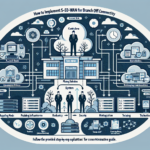
A typical three-tier enterprise network includes:
- Core Layer: High-performance switches and routers connecting critical systems (data center, internet gateway).
- Distribution Layer: Aggregates traffic from access switches and enforces policies.
- Access Layer: Connects endpoints — PCs, printers, IoT devices.
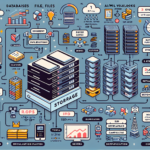
- Data Center: Virtualized servers, storage, and specialized clusters for AI/ML if needed.
- Cloud Integration: Secure connectivity to public clouds (AWS, Azure, GCP).
- Edge Locations: Remote offices with edge devices and site-to-site VPNs.
Network design is iterative. Review and update the topology as business needs, technology, and threats evolve.

Ali YAZICI is a Senior IT Infrastructure Manager with 15+ years of enterprise experience. While a recognized expert in datacenter architecture, multi-cloud environments, storage, and advanced data protection and Commvault automation , his current focus is on next-generation datacenter technologies, including NVIDIA GPU architecture, high-performance server virtualization, and implementing AI-driven tools. He shares his practical, hands-on experience and combination of his personal field notes and “Expert-Driven AI.” he use AI tools as an assistant to structure drafts, which he then heavily edit, fact-check, and infuse with my own practical experience, original screenshots , and “in-the-trenches” insights that only a human expert can provide.
If you found this content valuable, [support this ad-free work with a coffee]. Connect with him on [LinkedIn].
Related Posts: