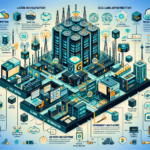
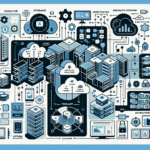
Implementing a Software-Defined Data Center (SDDC) means transitioning traditional infrastructure into a fully virtualized, automated, and policy-driven environment. Here’s a step-by-step approach:
1. Understand SDDC Concepts and Objectives
Before starting, make sure you and your team grasp the core layers:
– Compute Virtualization: Virtual machines, containers, and Kubernetes.
– Storage Virtualization: Software-defined storage (e.g., vSAN, Ceph).
– Network Virtualization: Software-defined networking (SDN) such as VMware NSX or Cisco ACI.
– Automation & Orchestration: Tools like VMware vRealize Suite, Terraform, or Ansible.
– Policy-Driven Management: Centralized control using defined policies for compute, storage, and networking resources.
2. Assess Your Current Infrastructure
Evaluate your existing data center setup:
– Identify hardware (servers, storage arrays, network switches).
– Determine virtualization readiness (hypervisors, container platforms).
– Understand application requirements and dependencies.
– Assess the scalability, performance, and availability of current systems.
3. Build a Business Case
SDDC implementation requires substantial investment in time and resources. Build a business case:
– Highlight benefits like agility, scalability, reduced costs, and improved security.
– Estimate costs for software, hardware, licenses, and training.
– Identify potential risks and how they’ll be mitigated.
4. Select a Software-Defined Platform
Choose SDDC platforms and tools based on your requirements:
– Compute Virtualization: VMware vSphere, Microsoft Hyper-V, KVM, or OpenStack.
– Storage Virtualization: VMware vSAN, Nutanix, Dell EMC PowerFlex, or open-source Ceph.
– Network Virtualization: VMware NSX, Cisco ACI.
– Automation: Ansible, Terraform, VMware vRealize Automation.
– Container Orchestration: Kubernetes (e.g., VMware Tanzu, OpenShift).
5. Standardize Hardware
Ensure your hardware is compatible with SDDC technologies:
– Deploy homogeneous servers; add high-performance GPUs only if you run AI/ML workloads.
– Use fast storage (NVMe drives, all-flash arrays) for performance.
– Ensure network switches support SDN, automation, and security protocols.
6. Deploy Virtualization Layers
Implement virtualization at all levels:
– Compute Layer: Install hypervisors like VMware vSphere or KVM to virtualize workloads.
– Storage Layer: Deploy software-defined storage solutions like vSAN or Ceph.
– Network Layer: Deploy SDN solutions for micro-segmentation, dynamic routing, and virtual network creation.
7. Implement Centralized Management and Automation
Use centralized management tools to monitor and automate workflows:
– Deploy tools such as VMware vRealize Operations or Microsoft System Center.
– Set up automation tools like Terraform, Ansible, or Puppet to enable Infrastructure as Code (IaC) for rapid provisioning.
– Create policies for resource allocation, scaling, and security.
8. Integrate Kubernetes and Containers
For modern applications and AI workloads, integrate Kubernetes:
– Set up Kubernetes clusters using platforms like VMware Tanzu, OpenShift, or Rancher.
– Ensure GPU support (e.g., NVIDIA GPU Operator) for containerized AI/ML workloads.
– Build CI/CD pipelines for DevOps agility.
9. Implement Security and Compliance
Security is critical in SDDC:
– Use micro-segmentation via SDN (e.g., VMware NSX) to isolate workloads.
– Deploy endpoint protection and intrusion detection/prevention systems (IDS/IPS).
– Regularly update firmware and software to address vulnerabilities.
– Implement role-based access control (RBAC) and encryption for sensitive data.
10. Test and Validate
Before going live:
– Test the SDDC environment thoroughly for performance, scalability, and reliability.
– Validate the automation workflows and ensure they meet business requirements.
– Simulate failure scenarios to ensure high availability and disaster recovery readiness.
11. Monitor and Optimize
Once live:
– Use monitoring tools like VMware vRealize Operations, Prometheus, or Grafana to track performance and health.
– Optimize resource allocation by analyzing workloads and applying automated scaling policies.
– Regularly review and update policies based on business needs.
12. Plan for Continuous Improvement
SDDC is not a one-time setup; it evolves with business needs:
– Regularly update software-defined solutions to leverage new features.
– Train your staff on new technologies and best practices.
– Explore emerging trends like edge computing, AI integration, and hybrid cloud for future scalability.
Key Considerations
Hybrid or Multi-Cloud Strategy: Integrate public cloud platforms like AWS, Azure, or Google Cloud with SDDC to create a hybrid environment.
Cost Management: Use tools like VMware vRealize Business or CloudHealth to manage cost and resource utilization.
Backup and Disaster Recovery: Implement reliable backup solutions (e.g., Veeam, Cohesity) and disaster recovery plans.
Ali YAZICI is a Senior IT Infrastructure Manager with 15+ years of enterprise experience. While a recognized expert in datacenter architecture, multi-cloud environments, storage, and advanced data protection and Commvault automation , his current focus is on next-generation datacenter technologies, including NVIDIA GPU architecture, high-performance server virtualization, and implementing AI-driven tools. He shares his practical, hands-on experience and combination of his personal field notes and “Expert-Driven AI.” he use AI tools as an assistant to structure drafts, which he then heavily edit, fact-check, and infuse with my own practical experience, original screenshots , and “in-the-trenches” insights that only a human expert can provide.