Planning for data center hardware refresh cycles is critical to maintaining optimal performance, reliability, scalability, and cost efficiency in your IT infrastructure. Here’s a step-by-step guide to effectively plan for hardware refresh cycles:
1. Assess Current Hardware Lifecycle
Understand Vendor Lifespan Recommendations: Check the manufacturer’s recommended lifecycle for servers, storage, networking equipment, and other hardware. Typically, servers and storage hardware have a lifecycle of 3–5 years, networking equipment around 5–7 years, and GPUs may vary depending on workload intensity.
Monitor Performance: Evaluate current hardware performance metrics (CPU utilization, memory usage, IOPS for storage, etc.) and identify bottlenecks.
Track Warranty and Support: Note the expiration dates for warranties and vendor support contracts, as older hardware may lack critical updates or repair services.
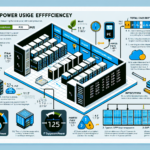
Determine Energy Efficiency: Older hardware often consumes more power and generates more heat, increasing operational costs.
2. Define Business and Technical Requirements
Capacity Planning: Forecast future workloads, storage requirements, and compute needs based on business growth and new projects (e.g., AI, Kubernetes, or containerization).
Emerging Technologies: Factor in new technologies that could improve efficiency, such as NVMe storage, DDR5 memory, faster GPUs (e.g., NVIDIA A100 or H100 for AI workloads), or advanced processors.
Workload Optimization: Ensure hardware aligns with workload requirements, such as virtualization, AI/ML, or containerized environments like Kubernetes.
3. Budget Planning
Total Cost of Ownership (TCO): Calculate initial hardware costs, ongoing operational costs (power, cooling, maintenance), and potential downtime costs.
Leasing vs. Purchasing: Explore leasing options for hardware to reduce upfront costs or consider cloud integration for hybrid environments.
Depreciation and ROI: Evaluate the depreciation of existing hardware and balance this against the expected ROI of new investments.
4. Review Vendor Roadmaps
Check Vendor Product Cycles: Stay informed about vendor product roadmaps to avoid buying hardware near its end-of-life and to ensure compatibility with future technologies.
Negotiate Contracts: Build relationships with vendors to secure better deals, extended warranties, or bundled solutions.
Certifications: Ensure compatibility with operating systems (e.g., Windows Server, Linux distributions) and virtualization platforms (e.g., VMware, Hyper-V).
5. Prioritize Scalability and Flexibility
Modular Hardware: Favor modular systems that allow for incremental upgrades (e.g., adding GPUs for AI workloads or expanding storage arrays).
Hybrid Infrastructure: Consider adopting hybrid cloud solutions to offload workloads during peak times and reduce dependence on physical hardware.
6. Plan for Downtime and Migration
Disaster Recovery Planning: Ensure backups and disaster recovery systems are fully operational before migrating workloads to new hardware.
Testing: Test new hardware setups thoroughly in a staging environment before production rollout.
Minimize Downtime: Schedule upgrades and replacements during maintenance windows.
7. Leverage Monitoring Tools
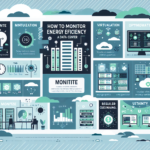
Hardware Monitoring: Use tools like PRTG Network Monitor, Nagios, or vendor-specific solutions to monitor hardware health.
Predictive Analysis: Use AI-based predictive maintenance tools to anticipate hardware failures and plan refresh cycles proactively.
8. Align with Business Goals
Compliance: Ensure new hardware meets regulatory requirements (e.g., data privacy laws or industry standards like HIPAA or PCI DSS).
Strategic Alignment: Align refresh cycles with business initiatives (e.g., AI adoption, Kubernetes implementation, or multicloud strategy).
9. Create a Refresh Policy
Standardize Refresh Intervals: Establish a policy for refresh cycles (e.g., servers every 4 years, storage every 5 years).
Document Everything: Record hardware age, performance metrics, warranties, and replacement schedules in an inventory management system.
10. Consider Emerging Trends
AI and ML Workloads: Plan for GPU upgrades or specialized hardware (e.g., Tensor Processing Units) if your organization is adopting AI initiatives.
Kubernetes and Microservices: Ensure that hardware supports containerized environments and has sufficient networking and storage capabilities.
Edge Computing: If deploying edge devices, plan for smaller-scale refresh cycles closer to remote sites.
11. Evaluate Alternatives
Cloud Migration: Assess whether some workloads can be moved to public or private clouds, reducing reliance on physical hardware.
Hyperconverged Infrastructure (HCI): Consider consolidating compute, storage, and networking into HCI systems for simplified management.
By following these steps, you can establish a proactive and strategic approach to data center hardware refresh cycles, ensuring your infrastructure remains reliable and capable of supporting your organization’s growth and technological advancements.
Ali YAZICI is a Senior IT Infrastructure Manager with 15+ years of enterprise experience. While a recognized expert in datacenter architecture, multi-cloud environments, storage, and advanced data protection and Commvault automation , his current focus is on next-generation datacenter technologies, including NVIDIA GPU architecture, high-performance server virtualization, and implementing AI-driven tools. He shares his practical, hands-on experience and combination of his personal field notes and “Expert-Driven AI.” he use AI tools as an assistant to structure drafts, which he then heavily edit, fact-check, and infuse with my own practical experience, original screenshots , and “in-the-trenches” insights that only a human expert can provide.