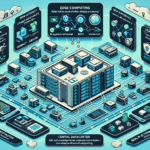
You need to dispose of datacenter hardware. Here’s how to do it right:
1. Develop an E-Waste Disposal Policy
Create a formal policy that outlines how your datacenter will handle outdated or unused IT hardware. Include processes for decommissioning, secure data erasure, recycling, and vendor selection.
2. Perform Asset Inventory
Before disposing of hardware, conduct an inventory to identify all assets slated for decommissioning. Document the equipment type, manufacturer, model, serial number, and condition. This tracks what is being disposed of and ensures accountability.
3. Ensure Data Security
Before disposing of any hardware, securely erase all sensitive data. Depending on the storage device:
Hard Drives: Use software tools like DBAN, Blancco, or built-in encryption tools to perform secure erasure or degaussing. Physical destruction (e.g., shredding) may be necessary for critical data.
SSD/NVMe Drives: Perform firmware-level secure erase or physical destruction.
Backup Tapes: Incinerate or shred.
Servers/Storage Arrays: Ensure RAID configurations, virtual machines, and logical volumes are wiped thoroughly.
Document the erasure or destruction process for auditing purposes.
4. Partner with Certified E-Waste Recycling Vendors
Work with vendors certified in e-waste recycling, such as those holding R2 (Responsible Recycling) or e-Stewards certifications. These certifications ensure compliance with environmental and ethical standards, including proper handling of hazardous materials like lead, mercury, and cadmium.
Request documentation or certificates of recycling/disposal for every batch of equipment processed.
5. Consider Refurbishing or Repurposing
Some hardware may still have value. Options include:
Donations: Donate usable equipment to schools, non-profits, or community organizations.
Refurbishment: Work with vendors to refurbish equipment for resale or reuse within the organization.
Parts Harvesting: Extract valuable components (GPUs, RAM, CPUs) for other applications or repairs.
6. Explore Manufacturer Recycling Programs
Many manufacturers offer take-back or recycling programs for their hardware. For example:
Dell, HP, Cisco, and Lenovo often have programs to recycle old equipment.
Some vendors provide trade-in programs for discounts on new purchases.
7. Follow Local Regulations
Understand and comply with local, state, and national regulations for e-waste disposal. In many regions, improper disposal of hazardous materials can result in fines or legal penalties.
8. Track Environmental Impact
Document the amount and type of e-waste recycled or disposed of. Many organizations use this data for sustainability reports or ESG (Environmental, Social, and Governance) initiatives.
9. Educate Your Team
Train your staff on the importance of proper e-waste disposal, data security, and environmental impact. Build awareness of the internal processes and approved vendors.
10. Plan for Future Lifecycle Management
Implement a lifecycle management strategy to minimize e-waste in the future:
Choose hardware with longer life cycles.
Leverage virtualization and containerization to reduce physical hardware needs.
Adopt cloud-based solutions where appropriate.
Common Hardware to Dispose of in Datacenters
Servers: Rack-mounted servers, blade servers, or tower servers.
Storage Arrays: SAN/NAS devices, hard drives, SSDs, or tape libraries.
Networking Equipment: Switches, routers, firewalls, and load balancers.
Power and Cooling Equipment: UPS systems, batteries, and cooling units.
GPUs and AI Hardware: Outdated GPUs or AI accelerators.
Ali YAZICI is a Senior IT Infrastructure Manager with 15+ years of enterprise experience. While a recognized expert in datacenter architecture, multi-cloud environments, storage, and advanced data protection and Commvault automation , his current focus is on next-generation datacenter technologies, including NVIDIA GPU architecture, high-performance server virtualization, and implementing AI-driven tools. He shares his practical, hands-on experience and combination of his personal field notes and “Expert-Driven AI.” he use AI tools as an assistant to structure drafts, which he then heavily edit, fact-check, and infuse with my own practical experience, original screenshots , and “in-the-trenches” insights that only a human expert can provide.