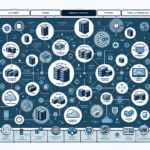
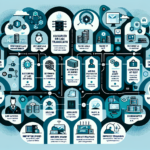
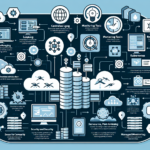
Setting up a centralized logging system for your IT infrastructure is critical for monitoring, troubleshooting, and securing your environment. Here’s a step-by-step guide to building one.
1. Define the Scope and Requirements
Identify the systems, applications, and services to log (servers, firewalls, applications, Kubernetes clusters, virtualization platforms).
Determine the type of logs to collect (system logs, application logs, security/audit logs, storage logs).
Decide on retention policies, storage capacity, and compliance requirements (GDPR, ISO 27001).
Choose between on-premises or cloud-based logging solutions.
Set up a dedicated server or VM for the logging solution.
Ensure sufficient compute, storage, and network capacity to handle log ingestion and retention.
For high availability, deploy multiple nodes or clusters.
For cloud-based solutions:
Create the necessary cloud resources (storage buckets, compute instances).
4. Configure Log Collection Agents
Install and configure agents on every server, device, and service you want to monitor.
Popular log collection tools:
Linux: rsyslog or syslog-ng
Windows: Winlogbeat or NXLog
Applications: Filebeat for log files, Metricbeat for performance metrics
Kubernetes: Use Fluentd, Fluent Bit, or Logstash as sidecar containers or DaemonSets to collect pod logs. Integrate with Kubernetes’ native logging (e.g., kube-apiserver audit logs).
Configure these agents to forward logs to your centralized logging server.
5. Set Up Log Ingestion and Parsing
Ingest logs from multiple sources.
Parse logs into structured formats (JSON) for easier search and visualization.
Use Logstash, Fluentd, or custom scripts to transform and normalize logs.
6. Configure Indexing and Storage
For Elasticsearch or similar tools:
Define indices for different log types (e.g., system-logs-*, app-logs-*).
Set up index lifecycle management (ILM) to automatically delete or archive old logs.
For cloud storage:
Configure lifecycle rules (e.g., move to cold storage after 30 days).
Ensure storage scales to handle growth.
7. Set Up Dashboards and Alerts
Use visualization tools (Kibana, Grafana, Splunk) to create dashboards for:
Ali YAZICI is a Senior IT Infrastructure Manager with 15+ years of enterprise experience. While a recognized expert in datacenter architecture, multi-cloud environments, storage, and advanced data protection and Commvault automation , his current focus is on next-generation datacenter technologies, including NVIDIA GPU architecture, high-performance server virtualization, and implementing AI-driven tools. He shares his practical, hands-on experience and combination of his personal field notes and “Expert-Driven AI.” he use AI tools as an assistant to structure drafts, which he then heavily edit, fact-check, and infuse with my own practical experience, original screenshots , and “in-the-trenches” insights that only a human expert can provide.