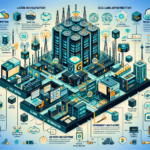
Building IT infrastructure for DevOps pipelines means creating a scalable, reliable environment that supports continuous integration, continuous delivery, and automated workflows. Here’s how to approach it:
1. Assess Requirements
Identify the specific requirements of the applications and services the pipeline will support.
Select tools for source control, CI/CD, build automation, artifact management, and monitoring (Git, Jenkins, GitLab CI/CD, CircleCI, Docker, Kubernetes, etc.).
Plan for future growth in compute, storage, and network resources.
2. Build Scalable Compute
Use virtualization (VMware, Hyper-V) to create isolated environments for CI/CD tools, build runners, and testing.
Implement containerization (Docker) for consistency across environments and faster deployments.
Set up Kubernetes for container orchestration, scaling, workload management, and high availability.
3. Configure Storage and Backup
Use high-performance storage for build artifacts, logs, and container images.
Implement object storage (AWS S3, MinIO) for large-scale unstructured data such as logs and backups.
Set up regular backups for critical data: CI/CD configurations, source code, and artifacts.
Use snapshot-based backups for VMs, containers, and persistent volumes in Kubernetes.
4. Automate Infrastructure Provisioning
Use Terraform, Ansible, or CloudFormation to automate infrastructure deployment and configuration.
Version-control IaC scripts to maintain consistency and enable collaboration.
Automate provisioning of development, testing, staging, and production environments.
5. Network and Security
Ensure low-latency networks for CI/CD workflows, especially when builds and tests need high-speed access to data or dependencies.
Use load balancers to distribute traffic across servers or clusters.
Implement RBAC in tools like Kubernetes and Jenkins.
Encrypt sensitive data in transit and at rest (TLS/SSL for communication, encryption for storage).
Deploy firewalls and intrusion detection/prevention systems.
Isolate CI/CD environments from production using network segmentation.
6. Implement CI/CD Pipelines
Use Git for version control and integrate with CI/CD platforms (GitHub, GitLab, Bitbucket).
Set up CI pipelines to automatically build, test, and validate code changes using Jenkins, GitLab CI/CD, or CircleCI.
Automate deployment to staging and production with blue-green or canary strategies for safer rollouts.
Implement artifact repositories (Nexus, Artifactory) to store build outputs and dependencies.
7. Monitoring and Logging
Monitor infrastructure health and pipeline performance with Prometheus, Grafana, or Datadog.
Set up alerts for CI/CD pipeline failures or infrastructure component issues.
Centralize logs using ELK Stack (Elasticsearch, Logstash, Kibana) or Fluentd.
Collect logs from containers, servers, and applications for troubleshooting.
8. Use GPUs for AI/ML Pipelines
If your pipeline includes AI/ML workloads, deploy GPU servers or use cloud-based GPU instances for training and inference.
Configure Kubernetes with NVIDIA GPU support (drivers, CUDA toolkit, device plugins).
Use prebuilt NVIDIA Docker containers for frameworks like TensorFlow or PyTorch.
9. High Availability and Disaster Recovery
Deploy CI/CD tools in HA configurations (Jenkins master-slave, redundant Kubernetes control planes).
Use load balancers and failover mechanisms to ensure uptime.
Replicate critical infrastructure and data to secondary sites or cloud regions.
Test DR plans periodically to verify readiness.
10. Choose a Deployment Model
Decide between on-premises, cloud, or hybrid based on your constraints.
Consider cloud-native CI/CD tools (AWS CodePipeline, Azure DevOps, Google Cloud Build) if you want reduced management overhead.
For hybrid setups, evaluate platforms like VMware Tanzu or Anthos to unify environments.
11. Build Team Capability
Promote collaboration between development and operations teams.
Train engineers on the tools and processes in your pipeline (Kubernetes, CI/CD platforms, IaC).
Maintain documentation for infrastructure, pipelines, and troubleshooting procedures.
Ali YAZICI is a Senior IT Infrastructure Manager with 15+ years of enterprise experience. While a recognized expert in datacenter architecture, multi-cloud environments, storage, and advanced data protection and Commvault automation , his current focus is on next-generation datacenter technologies, including NVIDIA GPU architecture, high-performance server virtualization, and implementing AI-driven tools. He shares his practical, hands-on experience and combination of his personal field notes and “Expert-Driven AI.” he use AI tools as an assistant to structure drafts, which he then heavily edit, fact-check, and infuse with my own practical experience, original screenshots , and “in-the-trenches” insights that only a human expert can provide.