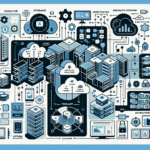
Configuring IT infrastructure for cloud-native applications requires careful planning and implementation of modern technologies that enable scalability, flexibility, and high availability. Here are the steps you can follow to set up your IT infrastructure:
1. Assess Requirements
Understand Application Needs: Identify the resource requirements (CPU, memory, GPU, storage, etc.), containerization preferences, networking needs, and dependencies.
Scalability & Availability: Determine the level of scalability and availability required for your applications.
Compliance & Security: Address security, compliance, and data protection requirements.
2. Design Infrastructure Around Kubernetes
Containerization: Use Docker or another containerization platform to package applications and their dependencies.
Kubernetes Cluster: Deploy Kubernetes (K8s) as your orchestration platform for managing containers. Kubernetes allows auto-scaling, service discovery, rolling updates, and failover.
Node Configuration: Configure Kubernetes nodes with appropriate resources. Use a mix of physical servers, VMs, or cloud instances.
GPU Nodes: If your applications require AI/ML workloads, ensure you have GPU-enabled nodes (e.g., NVIDIA GPUs compatible with CUDA).
Linux Nodes: Most Kubernetes workloads are optimized for Linux-based nodes (e.g., Ubuntu, CentOS).
Windows Containers: If your applications rely on Windows, ensure Kubernetes supports Windows containers.
3. Networking
Container Networking: Use Kubernetes networking plugins (e.g., Calico, Flannel, Cilium) for pod networking and communication.
Ingress Controller: Deploy an ingress controller (e.g., NGINX, Traefik) for routing external traffic to your services.
Service Mesh: Consider using a service mesh (e.g., Istio, Linkerd) for advanced traffic management, security, and observability.
4. Storage
Persistent Volumes: Use Kubernetes persistent volumes (PVs) and persistent volume claims (PVCs) to provide storage for stateful applications.
Storage Backend: Choose a storage backend that supports dynamic provisioning (e.g., Ceph, AWS EBS, GCP Persistent Disks, or on-prem solutions like VMware vSAN or NetApp).
Backup & Data Protection: Implement regular backups for critical data using tools like Velero (Kubernetes backup solution) or storage snapshots. Ensure redundancy and data replication across datacenters.
5. CI/CD Integration
Pipeline Setup: Integrate CI/CD tools like Jenkins, GitLab CI/CD, or GitHub Actions to automate build, test, and deployment processes.
Container Registry: Use a container registry (e.g., Docker Hub, Amazon ECR, Google Container Registry, Azure Container Registry, or an on-prem solution like Harbor) to store and manage container images securely.
6. Monitoring & Logging
Monitoring Tools: Deploy tools like Prometheus and Grafana for real-time monitoring of your infrastructure and applications.
Logging: Use centralized logging solutions (e.g., Elasticsearch, Fluentd, Kibana – EFK stack, or Loki) to aggregate logs from containers and nodes.
Alerting: Configure alerting systems for proactive issue detection and resolution.
7. Security
Pod Security: Implement Kubernetes pod security policies (PSPs) or Open Policy Agent (OPA) Gatekeeper for access control.
Secrets Management: Use Kubernetes Secrets or third-party tools like HashiCorp Vault to manage sensitive credentials.
RBAC: Use Kubernetes Role-Based Access Control (RBAC) to restrict access to cluster resources.
Firewalls & Encryption: Ensure firewalls and encryption are in place for data in transit and at rest.
8. GPU Integration for AI/ML Workloads
GPU Drivers: Install NVIDIA GPU drivers and CUDA toolkit on GPU-enabled nodes.
Kubernetes GPU Support: Enable GPU support in Kubernetes by deploying the NVIDIA device plugin.
AI Frameworks: Ensure compatibility with AI frameworks (e.g., TensorFlow, PyTorch) and libraries needed for your applications.
9. High Availability & Scalability
Cluster Autoscaling: Enable Kubernetes Cluster Autoscaler to dynamically adjust the number of nodes based on workload demands.
Load Balancing: Use Kubernetes built-in load balancing or external load balancers (e.g., AWS ELB, GCP LB, HAProxy) to distribute traffic across pods.
Multi-Cluster Setup: Consider a multi-cluster strategy for disaster recovery and geo-redundancy.
10. Hybrid Cloud Integration
On-Prem & Cloud: For hybrid setups, integrate your on-prem datacenter with cloud providers (e.g., AWS, Azure, GCP) using tools like Anthos, VMware Tanzu, or OpenShift.
Networking: Configure secure connections between on-prem and cloud resources using VPN or dedicated connections (e.g., AWS Direct Connect, Azure ExpressRoute).
11. Regular Updates
Kubernetes Upgrades: Keep your Kubernetes cluster updated with the latest stable release to benefit from new features and security patches.
Container Images: Regularly update container images to fix vulnerabilities and improve performance.
12. Disaster Recovery
Backup Strategy: Implement automated backups for both stateful applications and cluster configurations.
Failover Planning: Set up redundant clusters and failover mechanisms to minimize downtime during an outage.
Tools and Technologies to Consider:
Virtualization: VMware vSphere, Hyper-V, or KVM for on-prem infrastructure.
Cloud Providers: AWS, Azure, GCP for cloud resources.
Kubernetes Distribution: EKS (AWS), AKS (Azure), GKE (Google), or on-prem solutions like Rancher or OpenShift.
AI/ML Tools: TensorFlow, PyTorch, NVIDIA Triton Inference Server for GPU-based workloads.
Ali YAZICI is a Senior IT Infrastructure Manager with 15+ years of enterprise experience. While a recognized expert in datacenter architecture, multi-cloud environments, storage, and advanced data protection and Commvault automation , his current focus is on next-generation datacenter technologies, including NVIDIA GPU architecture, high-performance server virtualization, and implementing AI-driven tools. He shares his practical, hands-on experience and combination of his personal field notes and “Expert-Driven AI.” he use AI tools as an assistant to structure drafts, which he then heavily edit, fact-check, and infuse with my own practical experience, original screenshots , and “in-the-trenches” insights that only a human expert can provide.