1. Hardware Failures
- Disk failures: HDDs, SSDs, and RAID arrays fail from age, wear, or manufacturing defects.
- Power supply failures: Overloaded or faulty units take the server offline.
- Memory (RAM) issues: Faulty DIMMs cause crashes and unexplained reboots.
- GPU failures: Overheating or hardware defects in GPU-dense hosts.
- NIC failures: Loss of network connectivity from a bad card or port.
2. Power Outages
- Insufficient redundancy: No UPS or generator means any grid failure becomes an outage.
- Electrical issues: Surges, brownouts, or unstable power damage hardware or trigger unexpected shutdowns.
3. Cooling and Environmental Issues
- Overheating: Inadequate cooling or blocked airflow forces thermal shutdowns.
- Humidity: Excess moisture corrodes components; too little increases ESD risk.
- Fire or water damage: Sprinkler activation, leaks, or fire suppression discharge destroy gear.
4. Software and Configuration Problems
- OS crashes: Kernel panics, corrupted filesystems, or bad patches.
- Application failures: Memory leaks, unhandled exceptions, or resource exhaustion.
- Configuration errors: Wrong kernel parameters, filesystem mounts, or service dependencies.
- Firmware updates gone wrong: Interrupted flashes or incompatible versions brick hardware.
5. Network Failures
- Switch/router problems: Port failures, spanning-tree loops, or control-plane crashes isolate servers.
- DDoS attacks: Volumetric or application-layer floods saturate uplinks.
- DNS failures: Misconfigured zones or resolver outages make services unreachable by name.
6. Human Errors
- Accidental shutdowns: Wrong host powered off, cable pulled, or PDU switched during maintenance.
- Configuration mistakes: Bad firewall rules, VLAN typos, or incorrect storage mappings.
- Failure to monitor: No alerts on critical metrics means issues escalate unnoticed.
7. Storage Failures
- SAN/NAS issues: Controller failures, path loss, or fabric partitions cut off VMs and databases.
- Corrupted data: Bit rot, controller bugs, or abrupt power loss corrupt volumes.
- Capacity overload: Filesystems hit 100% and databases freeze or crash.
8. Backup and Recovery Failures
- Incomplete backups: Jobs skip critical volumes, fail silently, or don’t capture consistent state.
- Slow recovery: Untested restores take hours longer than the RTO allows.
9. Security Breaches
- Ransomware: Encrypted volumes and deleted snapshots make recovery impossible without offline copies.
- Unauthorized access: Compromised credentials let attackers disable services or exfiltrate data.
- Malware: Cryptominers, rootkits, or wipers degrade performance or destroy data.
10. Virtualization and Kubernetes Issues
- Hypervisor failures: Host kernel panic or storage disconnect takes down every guest.
- Orchestration problems: Bad manifests, API server overload, or CNI failures stall pods cluster-wide.
- Resource contention: Overcommitted CPU/memory or noisy neighbors starve critical workloads.
11. Lack of Preventive Maintenance
- Outdated components: Drives past rated TBW, fans near MTBF, batteries at end-of-life.
- Unpatched software: Known CVEs in hypervisors, firmware, or container runtimes.
- Ignored alerts: Critical warnings buried in noise until hardware fails.
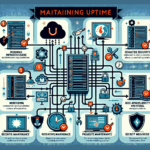
Mitigation Strategies
- Proactive monitoring: Instrument every layer — hardware sensors, OS metrics, application health, and environmental readings — with actionable alerts.
- Redundancy: Dual PSUs on separate circuits, N+1 cooling, multipath storage, and diverse network paths.
- Disaster recovery: Test restores quarterly. Verify RTO/RPO against business requirements, not vendor claims.
- Regular maintenance: Firmware baselines, drive health checks, fan and battery replacements on schedule.
- Training: Run game-day exercises for common failure scenarios; document runbooks for each alert.
- Security: Network segmentation, immutable backup copies, MFA on management interfaces, and runtime anomaly detection.

Ali YAZICI is a Senior IT Infrastructure Manager with 15+ years of enterprise experience. While a recognized expert in datacenter architecture, multi-cloud environments, storage, and advanced data protection and Commvault automation , his current focus is on next-generation datacenter technologies, including NVIDIA GPU architecture, high-performance server virtualization, and implementing AI-driven tools. He shares his practical, hands-on experience and combination of his personal field notes and “Expert-Driven AI.” he use AI tools as an assistant to structure drafts, which he then heavily edit, fact-check, and infuse with my own practical experience, original screenshots , and “in-the-trenches” insights that only a human expert can provide.
If you found this content valuable, [support this ad-free work with a coffee]. Connect with him on [LinkedIn].
Related Posts: