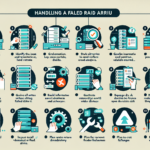
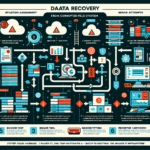
Recovering data from a failed RAID 5 array is complex and demands careful handling to avoid making things worse. RAID 5 stripes data and parity across all drives. The array survives a single drive failure. Two or more failed drives, or corruption, and you have a real problem. Here’s a step-by-step approach.
Step 1: Assess the Situation
Identify the failure type. Is it a dead drive, a bad controller, filesystem corruption, or physical damage?
Count the failed drives. RAID 5 tolerates one. Two or more means the array is offline.
Stop all writes immediately. Any write can overwrite parity or data and kill your recovery chances.
Document the configuration. Block size, stripe size, disk order, controller model, filesystem — write it all down. You’ll need it later.
Step 2: Secure the Drives
Label every drive in position order. Use tape and a marker. If the controller or backplane doesn’t preserve slot mapping, you’ll need this to reassemble correctly.
Image each drive before you touch it. Use dd or ddrescue to create raw bit-for-bit copies. Work from the images, not the originals.
Run SMART on each physical drive. Identify which ones are actually failing versus just kicked out of the array.
smartctl -a /dev/sdX
Step 3: Replace or Repair Faulty Hardware
Swap failed drives. Replace with same capacity or larger, same interface. If the array is hardware RAID, the controller will usually start a rebuild automatically — let it finish before attempting any data access.
Check the controller. A bad controller can mimic drive failures. If you suspect it, move the drives to a known-good identical controller (same firmware if possible) before proceeding.
Step 4: Attempt Reconstruction with Software Tools
If the array won’t come online, or multiple drives failed, you need reconstruction software. Options:
Commercial RAID recovery: R-Studio, UFS Explorer RAID Recovery, DiskInternals RAID Recovery. These can auto-detect parameters and rebuild virtual arrays.
Manual reconstruction: If you know stripe size, disk order, parity rotation, and offset, you can rebuild in a hex editor or with custom scripts. This is tedious and error-prone.
Linux mdadm (software RAID): If the array was mdadm-based, try reassembly:
Replace device paths with your actual drives. If superblocks are damaged, you may need --force or --run, but understand what those do first.
Step 5: Call a Professional Service
If the data is critical and the above fails, stop. Ship the drives to a reputable data recovery firm with RAID 5 experience. They have cleanrooms, proprietary tools, and controller emulators. It’s expensive, but so is permanent data loss.
Step 6: Rebuild and Validate
Rebuild the array on known-good hardware with verified drives.
Restore from backup — not from the recovered array. Treat the recovered data as suspect until validated.
Test thoroughly. Check filesystem integrity, run application-level verification, compare checksums against known-good copies.
Step 7: Prevent the Next One
Backups are not optional. RAID is availability, not backup. Keep offline, offsite, tested copies.
Monitor continuously. SMART alerts, controller logs, array status — automate notification so you catch the first failure, not the second.
Use appropriate hardware. Enterprise drives with TLER/ERC, a controller with battery-backed cache, and a UPS. Consumer drives and no write cache protection are a recipe for corruption.
Important Notes
If you’re unsure at any point, engage a professional. Guessing destroys data.
Never initialize, format, or force a rebuild on a degraded array until you have verified images or recovered the data. Those operations overwrite parity and make recovery impossible.
Ali YAZICI is a Senior IT Infrastructure Manager with 15+ years of enterprise experience. While a recognized expert in datacenter architecture, multi-cloud environments, storage, and advanced data protection and Commvault automation , his current focus is on next-generation datacenter technologies, including NVIDIA GPU architecture, high-performance server virtualization, and implementing AI-driven tools. He shares his practical, hands-on experience and combination of his personal field notes and “Expert-Driven AI.” he use AI tools as an assistant to structure drafts, which he then heavily edit, fact-check, and infuse with my own practical experience, original screenshots , and “in-the-trenches” insights that only a human expert can provide.