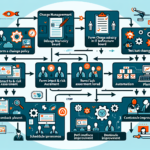
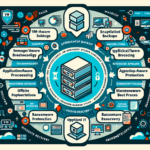
Run DR drills to verify your backups actually work. Here’s how to structure them:
1. Plan the Disaster Recovery Drill
Define Objectives: Determine what you want to achieve (e.g., testing specific backup systems, recovery time objectives (RTO), recovery point objectives (RPO), or identifying gaps in the process).
Scope: Decide which systems, applications, and data sets will be tested.
Document the Plan: Create a detailed DR drill plan with step-by-step procedures, roles, and responsibilities.
2. Notify Stakeholders
Inform relevant stakeholders (IT teams, department heads, application owners) about the upcoming drill.
Clarify whether production systems or a test environment will be used.
Ensure leadership understands the purpose and potential impacts.
3. Create a Test Environment
Sandbox Environment: Set up a separate environment to test recovery without impacting production.
Simulate a Disaster: Choose a scenario (e.g., ransomware attack, hardware failure, accidental data deletion) to mimic a real-world event.
Backup Data: Have copies of the latest backup data ready for testing.
4. Execute the Recovery Process
Restore Data: Recover from the backup system to the test environment.
Validate Integrity: Check restored data for completeness and consistency.
Test Applications: Verify that restored applications and systems function as intended.
Measure Time: Record recovery time and compare it to your defined RTO and RPO.
5. Document Observations
Log issues encountered during recovery (missing data, corrupted files, delays).
Note what worked well and what needs improvement.
6. Evaluate Backup Systems
Storage Type: Confirm backups are stored securely and are accessible during recovery (disk, cloud, tape).
Ali YAZICI is a Senior IT Infrastructure Manager with 15+ years of enterprise experience. While a recognized expert in datacenter architecture, multi-cloud environments, storage, and advanced data protection and Commvault automation , his current focus is on next-generation datacenter technologies, including NVIDIA GPU architecture, high-performance server virtualization, and implementing AI-driven tools. He shares his practical, hands-on experience and combination of his personal field notes and “Expert-Driven AI.” he use AI tools as an assistant to structure drafts, which he then heavily edit, fact-check, and infuse with my own practical experience, original screenshots , and “in-the-trenches” insights that only a human expert can provide.