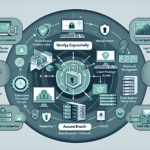
You manage datacenters, storage, backup, servers, virtualization, operating systems, Kubernetes, and the rest of the stack. Here is a practical patch management strategy you can put into production.
1. Establish Patch Management Policy
Define scope: which systems, servers, applications, and devices are included (Windows, Linux, Kubernetes clusters, network gear, firmware).
Set objectives: keep systems current, minimize vulnerabilities, meet compliance requirements.
Define timelines by severity: critical patches within 24 hours, high within 72 hours, medium/low within a standard cycle (e.g., 30 days).
Assign roles: who owns policy, testing, deployment, reporting, and exception handling.
2. Inventory All IT Assets
Build a detailed inventory of every system, application, and hardware component — servers, storage arrays, VMs, Kubernetes nodes, network devices, appliances.
Use automated discovery (CMDB, asset management tools) to track software versions, configurations, and ownership.
3. Categorize and Prioritize Systems
Critical: systems hosting sensitive data, running mission-critical applications, or exposed to external threats (public-facing servers, Kubernetes API servers, database clusters).
Non-critical: test environments, development sandboxes, isolated lab gear.
Prioritize patching order by criticality and vulnerability risk score (CVSS, exploit availability, threat intel).
4. Monitor for Vulnerabilities and Updates
Automate update detection: WSUS for Windows, Red Hat Satellite or Canonical Landscape for Linux, vendor APIs for appliances.
Subscribe to security bulletins: Microsoft Security Updates, CVE feeds, vendor advisories, distribution mailing lists.
Integrate vulnerability scanners (Tenable Nessus, Qualys, OpenVAS) to correlate missing patches with actual exposure.
5. Test Patches in a Controlled Environment
Maintain a staging environment that mirrors production: isolated VMs, Kubernetes staging clusters, representative workloads.
Validate compatibility with applications, kernel modules, and drivers — especially GPU drivers and CUDA libraries for AI/ML workloads.
Run automated regression tests where possible; at minimum, smoke-test critical services.
6. Automate Patch Deployment
Use configuration management or dedicated patching tools: Ansible, SCCM/MECM, WSUS, Red Hat Satellite, VMware Lifecycle Manager, etc.
Schedule deployments during approved maintenance windows.
For Kubernetes nodes, use kured (Kubernetes reboot daemon) to handle post-patch reboots safely — it cordons, drains, and uncordons nodes one at a time.
Patch container runtimes (containerd, CRI-O) and Kubernetes components (kubelet, kubeadm, control plane) as part of the same cycle.
7. Establish Backup and Rollback Procedures
Snapshot VMs, back up databases, export etcd, and capture configuration state before any production deployment.
Define and test rollback: VM snapshot revert, database point-in-time recovery, kubectl rollout undo, firmware rollback procedures.
Document the maximum acceptable recovery time for each tier.
Monitor for post-patch anomalies: service restarts, latency spikes, error rates, failed health checks (Prometheus alerts, Nagios checks, SolarWinds, whatever you run).
Generate compliance reports: patched vs. unpatched, exceptions granted, overdue systems.
9. Handle Special Cases (GPU Drivers, AI Systems, Firmware, Appliances)
GPU/AI nodes: validate NVIDIA driver and CUDA library updates against your training/inference workloads. Test performance regression — driver updates can change kernel behavior or memory allocation.
Firmware (BMC, BIOS, RAID controllers, NICs, storage arrays): schedule separately, often requires full power cycle. Vendor-specific tools (Dell OpenManage, HPE iLO, Lenovo XClarity, Supermicro SMCIPMITool).
Network appliances and load balancers: vendor maintenance windows, often active-passive failover required.
Post-incident review: if a vulnerability was exploited, determine why the patch missed the window (inventory gap, test failure, deployment error, exception abuse).
Update policy, tooling, and runbooks based on findings.
Tools to Consider
Windows: WSUS, MECM (SCCM), Intune, Chocolatey for applications
Linux: Red Hat Satellite, Canonical Landscape, Uyuni (Spacewalk fork), dnf-automatic / unattended-upgrades for small fleets
Kubernetes: kured for node reboots, kubeadm upgrade or managed-service APIs (EKS, GKE, AKS) for control plane, Helm/Flux/ArgoCD for workload updates
Ali YAZICI is a Senior IT Infrastructure Manager with 15+ years of enterprise experience. While a recognized expert in datacenter architecture, multi-cloud environments, storage, and advanced data protection and Commvault automation , his current focus is on next-generation datacenter technologies, including NVIDIA GPU architecture, high-performance server virtualization, and implementing AI-driven tools. He shares his practical, hands-on experience and combination of his personal field notes and “Expert-Driven AI.” he use AI tools as an assistant to structure drafts, which he then heavily edit, fact-check, and infuse with my own practical experience, original screenshots , and “in-the-trenches” insights that only a human expert can provide.