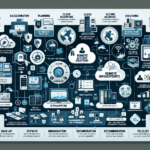
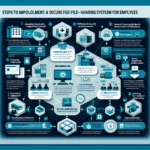
Real-time collaboration tools — Microsoft Teams, Zoom, Slack, Google Workspace — run mostly in the vendor’s cloud. Your infrastructure job is network, identity, endpoint, and (if you self-host any components) the supporting servers and storage. Here’s the practical breakdown.
1. Assess Requirements
Collaboration tools: List what you’re running (Teams, Zoom, Slack, Google Workspace, or self-hosted options like Mattermost/Element). Each has different network and identity needs.
Usage patterns: Estimate concurrent users, peak call volume, and geographic distribution. This drives bandwidth and egress placement.
Integration: Note dependencies — AD/LDAP for identity, Exchange or Google for calendar, SharePoint/OneDrive/Google Drive for files, SIP trunks for PSTN.
2. Network Design
Bandwidth: Plan for 1.5–3 Mbps per concurrent HD video stream. Measure actual usage with NetFlow or SNMP; don’t guess.
QoS: Tag DSCP EF (46) for voice, AF41 (34) for video. Apply on WAN edge, Wi-Fi controllers, and any congested LAN segments.
Latency: Target <100 ms RTT to the vendor’s nearest edge. Use split-tunnel VPN or direct internet breakout at each site — avoid backhauling to a central firewall.
Redundancy: Dual ISPs with BGP or SD-WAN failover. Test failover during a live call, not just ping.
Firewall/Proxy: Allow the vendor’s published IP ranges and FQDNs. Decrypt only if you must; most vendors pin certificates and break with MITM.
3. Servers and Virtualization (Self-Hosted Components Only)
Pure SaaS tools need no application servers. You may run:
Teams/Zoom connectors: On-premises media gateways, Session Border Controllers (SBCs), or recording servers.
Self-hosted platforms: Mattermost, Rocket.Chat, Element (Matrix) — deploy on VMware, Hyper-V, or KVM.
Load balancers: Required for HA on self-hosted deployments (HAProxy, F5, Citrix ADC). Not needed for SaaS.
4. Storage Configuration
SaaS file data: Lives in SharePoint, OneDrive, Google Drive — vendor manages storage.
Self-hosted: Use NAS/SAN with RAID 10 or erasure coding. Size for retention policy + growth. Separate volumes for database, logs, and uploaded files.
Recordings/Compliance: If you archive calls locally, plan for 50–150 MB/hour per stream. Use immutable storage (WORM) for legal hold.
5. Backup and Disaster Recovery
SaaS data: Vendor handles infrastructure DR. You are responsible for point-in-time recovery of deleted messages/files — use a third-party SaaS backup (Veeam Backup for Microsoft 365, AvePoint, Druva).
Self-hosted: Back up databases and file stores daily; test restores quarterly. Replicate to a second site or cloud object storage.
Ali YAZICI is a Senior IT Infrastructure Manager with 15+ years of enterprise experience. While a recognized expert in datacenter architecture, multi-cloud environments, storage, and advanced data protection and Commvault automation , his current focus is on next-generation datacenter technologies, including NVIDIA GPU architecture, high-performance server virtualization, and implementing AI-driven tools. He shares his practical, hands-on experience and combination of his personal field notes and “Expert-Driven AI.” he use AI tools as an assistant to structure drafts, which he then heavily edit, fact-check, and infuse with my own practical experience, original screenshots , and “in-the-trenches” insights that only a human expert can provide.