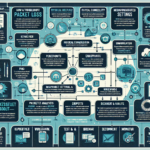
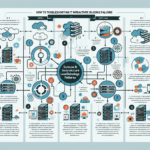
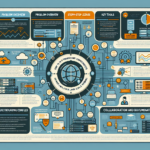
Troubleshooting routing issues in IT infrastructure requires a methodical approach to identify and resolve the root cause of the problem. Here are the steps you can follow:
1. Understand the Problem
Talk to users or teams experiencing the issue to understand the symptoms: unreachable services, slow connections, intermittent connectivity.
Document affected devices, IP addresses, networks, and timestamps to narrow scope.
Determine whether the issue is specific to certain devices, VLANs, subnets, or external internet connectivity.
2. Perform Basic Connectivity Tests
Ping and traceroute:
Use ping to test basic network connectivity between endpoints.
Use traceroute (or tracert on Windows) to identify the path traffic takes and where packets stop or encounter delays.
Test multiple endpoints: internal resources (servers, databases) and external resources (websites).
Verify DNS resolution is working for domain-based routing issues.
3. Verify Network Configuration
Check IP settings: valid IP addresses, subnet masks, gateways, and DNS configurations.
Examine routing tables:
Use route print (Windows) or netstat -rn (Linux) to verify correct entries.
Look for missing or incorrect routes.
Inspect VLAN configurations: ensure tagging and settings are consistent across switches and routers.
Review DHCP: confirm devices receive correct IP addresses from DHCP servers.
4. Check Hardware and Links
Verify physical connections: cables, switches, and routers properly connected and powered.
Inspect port status via CLI or management interfaces (active, down, errors).
Test link speeds: confirm interfaces negotiate appropriate speeds (1Gbps, 10Gbps, etc.).
Replace faulty hardware: swap suspect cables, ports, or devices with known-good ones.
5. Review Firewall and ACLs
Check firewall rules for unintended blocks on routing traffic.
Inspect ACLs on routers and switches for correct permissions.
Disable overly restrictive rules temporarily to isolate the issue.
Look for flapping routes or mismatched protocol settings.
Check static routes on devices without dynamic routing.
Validate route redistribution between protocols if multiple are in use.
7. Analyze Logs and Monitoring Tools
Check device logs on routers, switches, and firewalls for errors, dropped packets, or routing anomalies.
Use monitoring tools (SolarWinds, PRTG, Nagios) to analyze traffic patterns and identify bottlenecks.
Capture packets with Wireshark or tcpdump to inspect traffic for anomalies.
8. Test Redundancy and Failover
Verify redundant links, devices, or routing paths function correctly.
Confirm HA configurations on firewalls, load balancers, and routers work as expected.
Validate traffic distribution across redundant paths or devices.
9. Escalate or Seek Vendor Support
Contact ISPs for external connectivity issues.
Engage vendors for hardware or software-specific issues (Cisco, Juniper, VMware, etc.).
Share logs, packet captures, and configuration snapshots to speed resolution.
10. Document the Resolution
Record root cause and steps taken to build a knowledge base for future troubleshooting.
Add alerts or automated monitoring to detect similar issues early.
Review and adjust network policies or configurations to prevent recurrence.
By systematically following these steps, you’ll be able to identify the root cause of routing issues in your IT infrastructure and apply the appropriate fix.
Ali YAZICI is a Senior IT Infrastructure Manager with 15+ years of enterprise experience. While a recognized expert in datacenter architecture, multi-cloud environments, storage, and advanced data protection and Commvault automation , his current focus is on next-generation datacenter technologies, including NVIDIA GPU architecture, high-performance server virtualization, and implementing AI-driven tools. He shares his practical, hands-on experience and combination of his personal field notes and “Expert-Driven AI.” he use AI tools as an assistant to structure drafts, which he then heavily edit, fact-check, and infuse with my own practical experience, original screenshots , and “in-the-trenches” insights that only a human expert can provide.