You can cut datacenter cooling costs with these strategies:
1. Optimize Airflow Management
Seal Gaps and Leaks: Install blanking panels in every empty rack U to stop hot exhaust from recirculating to cold aisles. Seal cable cutouts in raised floors and gaps around ductwork.
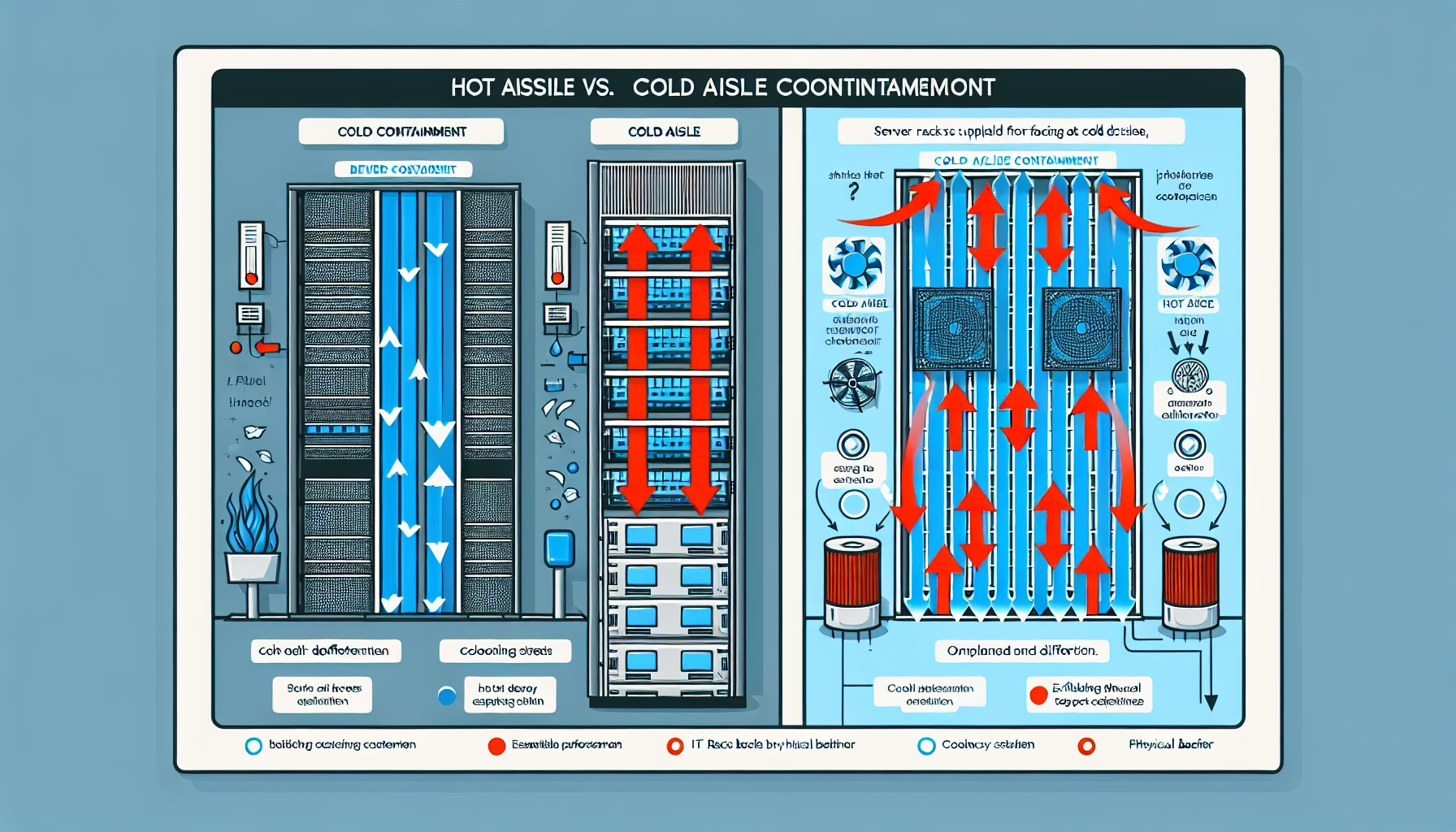
Hot/Cold Aisle Containment: Contain either the hot aisle or the cold aisle — preferably hot — so exhaust air returns directly to CRAC/CRAH units without mixing.
Use Containment Doors and Roof Panels: Close the ends of aisles and add roof panels to complete the enclosure. This keeps supply and return paths separate.
Audit with CFD Modeling: Run Computational Fluid Dynamics simulations before and after changes to verify airflow improvements and find remaining hotspots.
2. Raise Temperature Setpoints and Use Economizers
Raise the Cold-Aisle Temperature: Modern gear runs fine at 24–27 °C (75–80 °F). Raise setpoints incrementally per ASHRAE TC 9.9 guidelines and monitor for intake-temperature excursions.
Deploy Air-Side or Water-Side Economizers: When outdoor conditions allow, use outside air or cooling-tower water directly instead of running mechanical chillers. This can cut cooling energy by 30–50 % in suitable climates.
3. Upgrade to Efficient Cooling Hardware
Add Variable Speed Drives (VSDs): Fit VSDs on chiller compressors, pumps, and fans so they match capacity to actual load instead of cycling on/off.
Replace Legacy CRAC Units: Swap old DX units for high-efficiency chilled-water CRAHs, in-row coolers, or liquid-cooled rear-door heat exchangers.
Consider Thermal Energy Storage: Chill water or make ice at night when electricity is cheaper; use stored cooling during peak-rate hours.
4. Monitor and Automate
Deploy DCIM with Environmental Sensors: Track rack inlet temperatures, humidity, and CRAC supply/return temps in real time. Set alerts for ASHRAE limit breaches.
Automate Fan and Valve Control: Link CRAC fan speeds and chilled-water valves to real-time heat load so cooling follows demand minute by minute.
Map Hotspots Permanently: Place wireless temperature sensors at the top, middle, and bottom of every rack — not just a few spot checks.
5. Consolidate and Decommission
Virtualize and Consolidate: Fewer physical servers mean less waste heat. Target 70 %+ virtualization rates where workloads allow.
Power Down Idle Gear: Use DCIM or orchestration tools to identify servers running at <5 % utilization for weeks — then decommission or repurpose them.
6. Design for Free Cooling from Day One
Pick Climate-Advantaged Sites: New builds should evaluate locations with high economizer-hour counts (e.g., Nordic, high-desert, coastal).
Size for Direct/Indirect Evaporative Cooling: In dry climates, evaporative stages can extend economizer range by 5–10 °F.
7. Optimize Rack Layout
Balance Density Across Rows: Don’t pack all GPUs into one rack. Spread high-density loads so no single CRAC unit is overwhelmed.
Manage Cables Rigorously: Velcro bundles, route cables in dedicated trays, and keep them out of the vertical exhaust path.
Leave Empty U Between High-Density Gear: One or two blank U above a 20 kW rack lets exhaust rise cleanly instead of pressurizing the rack.
8. Adopt Liquid Cooling for High-Density Loads
Direct-to-Chip or Immersion: For racks exceeding 30–50 kW, liquid removes heat 1,000× more efficiently than air. Plan plumbing, leak detection, and fluid maintenance early.
9. Maintain Relentlessly
Clean Coils and Filters Quarterly: Fouled coils can raise fan power 15 % and reduce capacity. Schedule cleaning during low-load windows.
Verify VSD Operation: Confirm drives actually modulate — many run at 100 % because control loops are misconfigured.
Test Economizer Dampers: Cycle them monthly; seized actuators are a common silent failure.
10. Apply Machine Learning Where It Pays
Predictive Cooling Control: Feed historical load, weather, and sensor data to an ML model that pre-positions chiller plants and fan walls 15–30 minutes ahead.
Workload-Aware Placement: Scheduler plugins can bias new VMs toward racks with thermal headroom, avoiding localized hotspots.
11. Build Modular, Design for Passive Heat Rejection
Modular Rows or Pods: Add cooling capacity in step with IT load instead of overbuilding a central plant.
Passive Rear-Door Heat Exchangers: Water-cooled doors on existing racks can remove 15–25 kW without fans — zero fan energy, zero airflow management.
12. Track the Right Metrics
Target PUE Improvement: Measure total facility power / IT equipment power monthly. Every 0.1 drop is real money.
Monitor Cooling COP: Coefficient of Performance (cooling kW / electrical kW) for each chiller and CRAC. Trend it; a drifting COP means maintenance is overdue.
Ali YAZICI is a Senior IT Infrastructure Manager with 15+ years of enterprise experience. While a recognized expert in datacenter architecture, multi-cloud environments, storage, and advanced data protection and Commvault automation , his current focus is on next-generation datacenter technologies, including NVIDIA GPU architecture, high-performance server virtualization, and implementing AI-driven tools. He shares his practical, hands-on experience and combination of his personal field notes and “Expert-Driven AI.” he use AI tools as an assistant to structure drafts, which he then heavily edit, fact-check, and infuse with my own practical experience, original screenshots , and “in-the-trenches” insights that only a human expert can provide.