Storage bottlenecks during peak usage usually come down to three things: you didn’t size for the actual workload, you’re not watching the right metrics, or the data path has a choke point you haven’t found yet. Here’s how to address each.
1. Understand Your Workloads
Measure IOPS, throughput, and latency requirements per application — not averages, but 95th-percentile peaks.
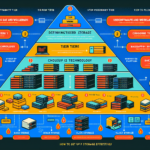
Classify workloads: latency-sensitive (databases, VDI), high-throughput (backup, video), and cold/archive. Each tier gets different media and protection.
Use at least 30 days of historical metrics to model peak demand. If you don’t have that data, start collecting it now.
2. Match Storage Media to the Workload
Put latency-sensitive workloads on NVMe or all-flash. Spinning disk is fine for sequential throughput and archive.
Tiering works when it’s automated and policy-driven. Manual tiering doesn’t scale.
Compression and deduplication save capacity but cost CPU and can add latency. Enable them on cold tiers; test carefully before turning them on for hot databases.
Cache helps, but only if the working set fits. Size your cache (DRAM or NVMe) for the active data set, not the total data set.
3. Monitor What Matters
Track latency at the application layer, not just the array. Array-reported latency often misses queue time in the hypervisor or HBA.
Set alerts on latency percentiles (p95, p99), not averages. A 2 ms average with 200 ms p99 is a problem.
Correlate storage metrics with CPU, memory, and network on the hosts. The bottleneck is frequently upstream.
Tools: vendor consoles (Unisphere, OnCommand, etc.) for array health; Prometheus/Grafana or Datadog for cross-layer visibility.
4. Use Virtualization and Thin Provisioning — With Guardrails
Storage virtualization (vSAN, Ceph, Nutanix, etc.) lets you move workloads without downtime. Use it.
Thin provisioning prevents wasted space, but you must monitor physical utilization and set alerts at 70-80%. Running out of physical space on a thin pool causes outages.
5. Move Cold Data Off Hot Storage
Automate tiering to object storage or cloud for data untouched in 30-90 days. Policy engines (Dell CloudPools, NetApp FabricPool, Komprise, etc.) handle this.
Schedule snapshots and replication windows outside production peaks. If you can’t, rate-limit them.
Delete orphaned snapshots and unused clones. They consume space and metadata resources.
6. Protect Performance with Redundancy, Not Just Capacity
RAID 10 for random-write-heavy workloads (databases, logs). RAID 6/erasure coding for sequential/read-heavy or capacity-focused tiers.
Dual controllers, dual power supplies, multipathing — these keep the data path alive during component failure. Test failover quarterly.
7. Don’t Let the Network Be the Bottleneck
10 GbE is the minimum for modern storage traffic. 25/100 GbE for NVMe-oF or heavy replication.
Enable QoS / DCB (Priority Flow Control, ETS) to guarantee storage traffic bandwidth during congestion.
Configure multipathing (DM-Multipath, PowerPath, MPIO) with round-robin or least-queue-depth policies. Verify all paths are active.
8. Cloud Bursting and Tiering — If the Economics Work
Cloud burst for elastic workloads (render farms, CI/CD, seasonal analytics). Not for steady-state databases — egress costs and latency will hurt.
Cloud tiering (AWS S3 Glacier, Azure Cool/Archive, GCS Coldline) for backup and archive. Keep the restore SLA in mind.
9. Test Before Production Hits
Run synthetic load tests (fio, Vdbench, Diskspd) that mimic your actual I/O pattern — block size, read/write ratio, queue depth.
Test failure scenarios: pull a drive, fail a controller, cut a network path. Verify recovery time and performance impact.
Re-run capacity planning quarterly. Growth rates change; procurement lead times don’t.
Most bottlenecks are visible weeks before they hurt users — if you’re looking at the right metrics and you’ve sized the data path for peak, not average.
Ali YAZICI is a Senior IT Infrastructure Manager with 15+ years of enterprise experience. While a recognized expert in datacenter architecture, multi-cloud environments, storage, and advanced data protection and Commvault automation , his current focus is on next-generation datacenter technologies, including NVIDIA GPU architecture, high-performance server virtualization, and implementing AI-driven tools. He shares his practical, hands-on experience and combination of his personal field notes and “Expert-Driven AI.” he use AI tools as an assistant to structure drafts, which he then heavily edit, fact-check, and infuse with my own practical experience, original screenshots , and “in-the-trenches” insights that only a human expert can provide.