Patch management keeps your servers secure, stable, and performing. Here are the practices that work in production:
1. Establish a Patch Management Policy
- Document the process: roles, responsibilities, timelines, and procedures.
- Define criticality: categorize patches by importance — security, stability, feature updates.
- Compliance: align the policy with standards like GDPR, PCI-DSS, or HIPAA.
2. Inventory and Prioritize Assets
- Asset inventory: maintain a current list of every server, OS version, and application.
- Risk assessment: prioritize by environment criticality (production over dev) and threat exposure.
3. Test Patches in Non-Production Environments
- Sandbox testing: deploy to staging before production.
- Compatibility checks: validate against your applications, configurations, and dependencies.
- Rollback plan: have a tested procedure to revert if a patch breaks something.
4. Automate Patch Deployment
- Patch management tools: WSUS, SCCM, VMware vSphere Update Manager, or third-party options like SolarWinds Patch Manager and Ivanti.
- Scheduled updates: patch during maintenance windows to minimize disruption.
- Centralized control: monitor and manage deployments from one console.
5. Monitor Vendor Updates
- Vendor notifications: subscribe to security bulletins for your OS (Windows, Linux), software (databases, middleware), and hardware firmware.
- Zero-day vulnerabilities: track critical patches that need immediate action.
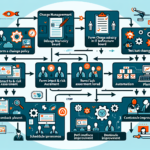
6. Implement Change Management
- Approval process: evaluate and approve patches formally before deployment.
- Stakeholder communication: notify teams and users about upcoming patches and expected downtime.
7. Segment and Prioritize Deployment
- Phased rollout: hit less critical systems first, then production.
- Critical patches: prioritize fixes for high-severity vulnerabilities and active exploits.
8. Monitor and Verify Patch Success
- Post-patch validation: confirm the system works after updates.
- Error logs: check for failed installations and remediate quickly.
- Performance monitoring: watch server health post-patch to catch regressions.
9. Maintain Backup and Recovery Plans
- Pre-patch backup: take full backups of critical systems before applying patches.
- Disaster recovery: test your backup and DR systems regularly so they work when a patch causes failure.
10. Enforce Security Best Practices
- Least privilege: only authorized personnel deploy patches.
- Access control: protect patch management tools with strong authentication.
- Network segmentation: isolate patch management infrastructure from general traffic.
11. Measure and Report
- KPIs: track deployment success rates, time-to-patch, and unpatched vulnerabilities.
- Audits: verify compliance with patching policies on a schedule.
- Reports: give stakeholders and management clear data on patching progress and risk reduction.
12. Stay Proactive
- Threat intelligence: use feeds and services to spot emerging vulnerabilities.
- Regular scanning: run vulnerability scans to find missing patches and misconfigurations.
- Training: teach staff why patch management matters and their role in it.
13. Special Considerations for Virtualization and Kubernetes
- Virtual machines: patch hypervisors (VMware ESXi, Hyper-V) and guest OSes on a regular cadence.
- Kubernetes clusters: patch worker nodes, control-plane components, and container images. Managed services handle control-plane updates; for self-managed clusters, follow the project’s upgrade procedures.

Ali YAZICI is a Senior IT Infrastructure Manager with 15+ years of enterprise experience. While a recognized expert in datacenter architecture, multi-cloud environments, storage, and advanced data protection and Commvault automation , his current focus is on next-generation datacenter technologies, including NVIDIA GPU architecture, high-performance server virtualization, and implementing AI-driven tools. He shares his practical, hands-on experience and combination of his personal field notes and “Expert-Driven AI.” he use AI tools as an assistant to structure drafts, which he then heavily edit, fact-check, and infuse with my own practical experience, original screenshots , and “in-the-trenches” insights that only a human expert can provide.
If you found this content valuable, [support this ad-free work with a coffee]. Connect with him on [LinkedIn].
Related Posts: