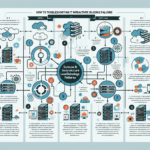
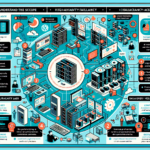
Troubleshooting slow connections in a datacenter network requires a systematic approach to identify the root cause. Follow these steps:
1. Gather Information and Define the Problem
- Identify symptoms: determine if the slowness affects specific applications, servers, or the entire network.
- Scope of impact: check whether the issue is localized to a specific VLAN, subnet, rack, or zone, or spans the entire datacenter.
- Recent changes: confirm any recent network, hardware, or software changes that could have caused the issue.
- Get feedback: involve application owners, users, or monitoring tools to pinpoint when the issue began.
2. Check Network Performance Metrics
- Latency: measure round-trip latency using
pingortraceroute. - Packet loss: use
ping(with packet size variation) oriperfto check for dropped packets. - Bandwidth usage: check for saturation using NetFlow, sFlow, or monitoring systems such as SolarWinds or PRTG.
- Jitter: measure variation in delay, especially for latency-sensitive applications like VoIP or video.
3. Verify Network Hardware
- Switches and routers:
- Check for high CPU or memory utilization.
- Review logs for error messages, dropped packets, or interface flapping.
- Verify port utilization and check for over-subscribed uplinks.
- Cabling:
- Inspect cables and connectors for damage or poor connections.
- Use cable testing tools to verify signal integrity.
- NICs:
- Check server NICs for errors, duplex mismatches, or incorrect speed settings.
4. Analyze Configuration
- MTU mismatch: ensure the Maximum Transmission Unit (MTU) size is consistent across devices to avoid fragmentation.
- VLAN and trunking: verify VLAN configuration and trunking settings so traffic routes correctly.
- Routing: check for routing loops, incorrect static routes, or changes in dynamic routing protocols like BGP, OSPF, or EIGRP.
- QoS (Quality of Service): confirm critical traffic is prioritized correctly and not being throttled or dropped.
5. Look for Congestion or Bottlenecks
- Oversubscription: check oversubscription ratios between access, aggregation, and core layers.
- East-west traffic: analyze traffic between servers in the datacenter. Excessive east-west traffic can overwhelm internal links.
- North-south traffic: check for high volumes of data leaving or entering the datacenter, which could saturate WAN links.
6. Monitor Applications and Services
- Application performance: use APM (Application Performance Monitoring) tools to ensure applications aren’t causing slowness.
- DNS resolution: check if DNS lookups are slow or failing, as this impacts perceived performance.
- Load balancers: verify they distribute traffic correctly and aren’t overloading specific nodes.
7. Utilize Monitoring and Diagnostic Tools
- Packet capture: use Wireshark, tcpdump, or similar tools to capture and analyze traffic for anomalies.
- Network monitoring: tools like Zabbix, Nagios, PRTG, or Datadog provide real-time insights.
- Flow analysis: use NetFlow or sFlow to identify top talkers, top protocols, and unusual traffic spikes.
8. Security Considerations
- DDoS attacks: check for Distributed Denial-of-Service attacks targeting the datacenter or specific applications.
- Firewall/IPS/IDS: ensure security appliances aren’t blocking or throttling legitimate traffic.
- Malware or compromised hosts: investigate infected servers generating excessive or malicious traffic.
9. Virtualization and Storage Considerations
- Hypervisor networking: in virtualized environments, verify virtual switch configurations and ensure proper traffic isolation.
- Storage network: analyze storage traffic (e.g., iSCSI, NFS) to ensure storage congestion isn’t impacting application performance.
10. Escalation and Vendor Support
- If the root cause isn’t apparent, escalate to the appropriate teams or vendors:
- Hardware vendors: for switches, routers, or NICs.
- Software vendors: for issues with virtualization platforms, firewalls, or monitoring tools.
- Service providers: if the issue involves external WAN links or cloud connectivity.
11. Long-Term Solutions
- Capacity planning: regularly review capacity and plan upgrades to avoid future bottlenecks.
- Automation: use tools like Ansible or Terraform to deploy consistent configurations.
- Documentation: maintain up-to-date network diagrams, inventory, and configurations for quicker troubleshooting.
- Monitoring alerts: set up alerts for latency, bandwidth usage, and error thresholds.

Ali YAZICI is a Senior IT Infrastructure Manager with 15+ years of enterprise experience. While a recognized expert in datacenter architecture, multi-cloud environments, storage, and advanced data protection and Commvault automation , his current focus is on next-generation datacenter technologies, including NVIDIA GPU architecture, high-performance server virtualization, and implementing AI-driven tools. He shares his practical, hands-on experience and combination of his personal field notes and “Expert-Driven AI.” he use AI tools as an assistant to structure drafts, which he then heavily edit, fact-check, and infuse with my own practical experience, original screenshots , and “in-the-trenches” insights that only a human expert can provide.
If you found this content valuable, [support this ad-free work with a coffee]. Connect with him on [LinkedIn].
Related Posts: