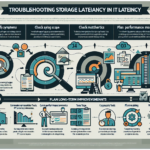
Troubleshooting storage replication delays takes a systematic approach. Here’s how to work through it.
Step 1: Gather Information
- Understand the scope
- Which systems or applications are affected?
- Is the delay consistent or time-specific?
- What replication technology is in use (SAN, NAS, object storage, software-defined)?
- Document current performance metrics
- Replication latency (round-trip time, bandwidth usage)
- Throughput (data transfer rate)
- Error logs or alerts from storage systems
- Understand the replication setup
- Asynchronous or synchronous?
- Source and destination storage systems and their configurations
Step 2: Analyze the Network
- Check bandwidth and congestion
- Verify the link between source and destination has enough bandwidth for replication.
- Use iperf to measure actual performance.
- Monitor latency
- High latency delays replication. Use ping, traceroute, or network monitoring software (e.g., SolarWinds, PRTG) to find bottlenecks.
- Inspect errors and packet loss
- Review switch/router logs for dropped packets or errors.
- Confirm QoS prioritizes replication traffic if needed.
- Check firewall and security settings
- Ensure replication ports/protocols aren’t blocked or throttled.
Step 3: Assess Storage System Health
- Verify storage performance
- Check disk latency, IOPS, and throughput on both source and destination.
- Look for overloaded disks or RAID arrays.
- Review storage utilization
- Confirm source and destination have sufficient free space.
- Examine storage controller load
- Overloaded controllers slow replication. Check CPU, memory, and cache usage.
- Inspect replication logs
- Look for errors or warnings (failed snapshots, timeouts).
Step 4: Examine Replication Configuration
- Check replication settings
- Ensure schedules and policies are correct.
- Verify jobs aren’t queuing or failing.
- Optimize chunk sizes
- Some solutions let you tune chunk/block sizes. Smaller chunks can improve efficiency; larger ones reduce overhead.
- Inspect compression and encryption
- If enabled, confirm settings are optimized. Excessive overhead slows replication.
- Review consistency mode
- Synchronous replication delays often stem from strict consistency. If latency is a problem and RPO allows, consider asynchronous mode.
Step 5: Investigate Host and Virtualization Impact
- Check host resources
- Confirm hosts sending or receiving replication data have adequate CPU, memory, and network.
- Inspect the virtualization layer
- For virtualized storage (VMware vSAN, Nutanix, etc.), check hypervisor resource contention or misconfiguration.
- Confirm snapshot management
- Excessive snapshots or old snapshot chains can slow replication in virtualized environments.
Step 6: Test and Validate Changes
- Run test replication jobs
- Test during off-peak hours to isolate issues.
- Measure performance before and after changes.
- Monitor impact
- Use Grafana, Prometheus, or vendor dashboards to track improvements.
Step 7: Escalate to Vendor Support
- Contact the storage vendor
- Open a support ticket with detailed logs, metrics, and steps already taken.
- Review firmware and updates
- Check for fixes addressing known replication issues.
Step 8: Plan for Long-Term Improvement
- Upgrade network infrastructure
- Consider higher-bandwidth or dedicated replication links between data centers.
- Scale storage systems
- Add disks or controllers if current storage is underprovisioned.
- Implement proactive monitoring
- Deploy tools like vRealize Operations, Nagios, or vendor-specific solutions to catch delays early.
- Review disaster recovery strategy
- Confirm the replication setup meets your RTO and RPO requirements.

Ali YAZICI is a Senior IT Infrastructure Manager with 15+ years of enterprise experience. While a recognized expert in datacenter architecture, multi-cloud environments, storage, and advanced data protection and Commvault automation , his current focus is on next-generation datacenter technologies, including NVIDIA GPU architecture, high-performance server virtualization, and implementing AI-driven tools. He shares his practical, hands-on experience and combination of his personal field notes and “Expert-Driven AI.” he use AI tools as an assistant to structure drafts, which he then heavily edit, fact-check, and infuse with my own practical experience, original screenshots , and “in-the-trenches” insights that only a human expert can provide.
If you found this content valuable, [support this ad-free work with a coffee]. Connect with him on [LinkedIn].
Related Posts: