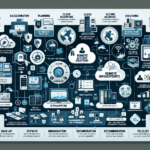
Mobile devices are frequent entry points for attacks. Here are the steps to secure your infrastructure against them:
1. Develop a Mobile Device Policy
- Define security requirements for BYOD — personal devices used for work.
- Require every device, corporate or personal, to enroll in your MDM.
- Specify permissible apps, activities, and configurations for devices accessing corporate resources.
2. Implement Mobile Device Management (MDM)
- Use MDM or EMM for centralized control: enforce policies, manage inventory, monitor compliance.
- Enable remote wipe of corporate data on lost, stolen, or compromised devices.
- Restrict unauthorized app installation; push corporate-approved apps for sensitive tasks.
3. Enforce Strong Authentication
- Require MFA for email, VPN, cloud services, and any corporate resource access.
- Use device-native biometrics (fingerprint, face) as a factor.
- Enforce strong, unique passwords. Rotate only on evidence of compromise.
4. Encrypt Data
- Mandate full-disk encryption on every device that touches corporate data.
- Require VPN or TLS tunnels for all traffic between devices and corporate resources.
- Verify that sensitive data at rest on the device remains encrypted.
5. Use Secure Applications
- Provide corporate-approved apps for email, file sharing, and collaboration.
- Apply application-level access controls based on user identity, device health, and network context.
- Containerize corporate apps and data to isolate them from personal apps on BYOD devices.
6. Monitor and Patch Vulnerabilities
- Enforce timely OS updates to patch known vulnerabilities.
- Keep corporate applications updated with security fixes.
- Deploy mobile threat defense (MTD) to detect malware, phishing, and device-level exploits.
7. Secure Network Access
- Block access to corporate resources from unsecured public Wi-Fi.
- Require VPN for all external access to corporate resources.
- Segment mobile device traffic away from critical infrastructure.
8. Restrict Device Features
- Disable camera and microphone where not required, especially in sensitive environments.
- Block USB mass storage to prevent data exfiltration.
- Disable or restrict Bluetooth to mitigate bluejacking and bluesnarfing risks.
9. Audit Regularly and Maintain Compliance
- Maintain a live inventory of every device accessing corporate resources.
- Monitor access logs for anomalies, unauthorized attempts, and unusual behavior.
- Align policies with applicable regulations (GDPR, HIPAA, PCI DSS, etc.).
10. Train Employees
- Run regular security awareness sessions: phishing recognition, safe browsing, app hygiene.
- Document and drill the lost/stolen device reporting procedure.
11. Backup and Recovery
- Back up corporate data on mobile devices to approved cloud storage on a schedule.
- Define and test recovery procedures for mobile-related incidents.

Ali YAZICI is a Senior IT Infrastructure Manager with 15+ years of enterprise experience. While a recognized expert in datacenter architecture, multi-cloud environments, storage, and advanced data protection and Commvault automation , his current focus is on next-generation datacenter technologies, including NVIDIA GPU architecture, high-performance server virtualization, and implementing AI-driven tools. He shares his practical, hands-on experience and combination of his personal field notes and “Expert-Driven AI.” he use AI tools as an assistant to structure drafts, which he then heavily edit, fact-check, and infuse with my own practical experience, original screenshots , and “in-the-trenches” insights that only a human expert can provide.
If you found this content valuable, [support this ad-free work with a coffee]. Connect with him on [LinkedIn].
Related Posts: