Business Growth Projections: Work with stakeholders to understand expected growth in workloads, users, and data volumes.
New Applications and Services: Factor in planned deployments — new services, applications, or technologies such as AI/ML workloads or Kubernetes clusters.
Workload Trends: Account for increased virtualization, containerization, and hybrid/multi-cloud adoption.
3. Define Scalability Requirements
Modular Design: Use modular infrastructure to allow incremental expansion — modular racks, power systems, cooling units.
Virtualization: Optimize resource utilization and simplify scaling through virtualization.
Hybrid or Cloud Options: Evaluate hybrid cloud for overflow capacity or disaster recovery.
4. Optimize IT Infrastructure
Consolidate Workloads: Reduce physical server sprawl with hyper-converged infrastructure (HCI) or platforms like VMware, Hyper-V, or KVM.
Upgrade Hardware: Replace aging gear with high-performance, energy-efficient servers and storage.
GPU Integration: For AI workloads, plan for servers equipped with current-generation GPUs.
5. Plan for Power and Cooling Needs
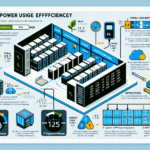
Invest in energy-efficient equipment and cooling — liquid cooling, hot/cold aisle containment.
Redundant Power: Size UPS and generator backup to handle growth and prevent downtime.
Capacity Planning Tools: Use DCIM (Data Center Infrastructure Management) tools to monitor power and cooling headroom.
6. Build for Scalability
Network Capacity: Plan for increased bandwidth and redundancy — 10G/25G/100G Ethernet as needed.
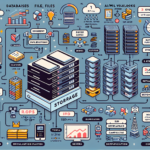
Storage Growth: Deploy scalable storage (SAN, NAS, object storage) and use tiering to control costs (SSDs for critical workloads, HDDs for archive).
Kubernetes Clusters: Design container platforms to scale horizontally.
7. Address Physical Space Constraints
Rack Density: Maximize rack space with high-density servers and blade systems.
Colocation: If space is limited, evaluate colocation or a second site.
Cloud Integration: Use public cloud (AWS, Azure, Google Cloud) for temporary or long-term overflow.
8. Plan for Backup and Disaster Recovery
Backup Solutions: Scale backup infrastructure for growing data volumes. Apply deduplication, compression, and cloud backup targets.
Disaster Recovery: Design DR for business continuity — replication and failover for critical workloads.
Ali YAZICI is a Senior IT Infrastructure Manager with 15+ years of enterprise experience. While a recognized expert in datacenter architecture, multi-cloud environments, storage, and advanced data protection and Commvault automation , his current focus is on next-generation datacenter technologies, including NVIDIA GPU architecture, high-performance server virtualization, and implementing AI-driven tools. He shares his practical, hands-on experience and combination of his personal field notes and “Expert-Driven AI.” he use AI tools as an assistant to structure drafts, which he then heavily edit, fact-check, and infuse with my own practical experience, original screenshots , and “in-the-trenches” insights that only a human expert can provide.