Multi-GPU deep learning works when the hardware, software stack, and training strategy line up. Miss one and you’ll waste cycles debugging throughput instead of training models.
1. Choose the Right Hardware
GPU Selection:
Pick GPUs built for deep learning: NVIDIA A100, RTX 4090, or RTX 3090/3080.
VRAM must fit your largest model plus activations and optimizer state.
NVLink shines when GPUs exchange gradients or activations every step.
Power and Cooling:
Size the PSU for peak draw across all GPUs plus CPU, drives, and fans.
Thermal throttling kills clock speeds; plan airflow or liquid cooling before you rack the box.
2. Optimize the Software Stack
GPU Drivers: Install the latest NVIDIA driver branch that supports your GPU generation.
CUDA Toolkit: Match the CUDA version to your framework and GPU architecture. Mismatches cause silent kernel falls back to slow paths.
cuDNN: Install the cuDNN version pinned by your framework release notes.
Deep Learning Frameworks:
TensorFlow, PyTorch, and JAX all support multi-GPU training.
Verify the framework build matches your CUDA/cuDNN versions; pip/conda usually handles this, but container images are safer.
3. Leverage Multi-GPU Training
Data Parallelism:
Split each batch across GPUs; each replica runs forward/backward on its shard.
Use framework built-ins: torch.nn.parallel.DistributedDataParallel (preferred) or torch.nn.DataParallel (legacy, single-process) in PyTorch; tf.distribute.MirroredStrategy in TensorFlow.
Model Parallelism:
Partition the model itself when it exceeds one GPU’s memory.
FP16 or BF16 cuts memory traffic and boosts throughput on Tensor Cores.
Enable via PyTorch AMP (torch.cuda.amp.autocast) or TensorFlow mixed precision policy; watch for gradient underflow and use loss scaling.
4. Set Up Distributed Training
Single Node, Multi-GPU: Launch with torchrun (PyTorch ≥1.10) or python -m torch.distributed.launch (older). Set NCCL_DEBUG=INFO first run to catch topology issues.
Multi-Node, Multi-GPU:
Use torch.distributed, Horovod, or tf.distribute.MultiWorkerMirroredStrategy.
Network must be low-latency: InfiniBand or 100 GbE with RoCE. TCP over 10 GbE will bottleneck at scale.
Synchronize clocks (PTP or chrony) and disable CPU frequency scaling on worker nodes.
5. Optimize GPU Utilization
Batch Size: Scale global batch size with GPU count. Per-GPU batch too small underutilizes compute; too large OOMs. Profile.
Asynchronous Data Loading: Use DataLoader(num_workers=N, prefetch_factor=2, persistent_workers=True) in PyTorch; tf.data.Dataset.prefetch(AUTOTUNE) in TensorFlow. Keep the GPU fed.
GPU Profiling:
nsys profile (Nsight Systems) for kernel timeline and CPU-GPU gaps.
ncu (Nsight Compute) for single-kernel occupancy and memory throughput.
Framework profilers (TensorBoard Profiler, PyTorch Profiler) for operator-level view.
6. Monitor and Maintain
Monitoring:
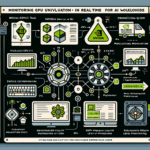
nvidia-smi -l 1 or dcgmi dmon for per-GPU utilization, memory, temperature, power.
Export metrics to Prometheus via dcgm-exporter or nvidia-gpu-prometheus-exporter; visualize in Grafana.
Error Handling: Watch for OOM, CUDA kernel launch failures, NCCL timeout/heartbeat errors, and ECC correctable/uncorrectable counts. Each points to a different fix.
Updates: Pin driver/CUDA/framework versions per project. Upgrade on a schedule, not reactively; test in staging before rolling to training clusters.
7. GPU Resource Scheduling
For shared clusters, run workloads in containers with GPU isolation:
Ali YAZICI is a Senior IT Infrastructure Manager with 15+ years of enterprise experience. While a recognized expert in datacenter architecture, multi-cloud environments, storage, and advanced data protection and Commvault automation , his current focus is on next-generation datacenter technologies, including NVIDIA GPU architecture, high-performance server virtualization, and implementing AI-driven tools. He shares his practical, hands-on experience and combination of his personal field notes and “Expert-Driven AI.” he use AI tools as an assistant to structure drafts, which he then heavily edit, fact-check, and infuse with my own practical experience, original screenshots , and “in-the-trenches” insights that only a human expert can provide.