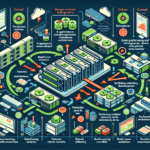
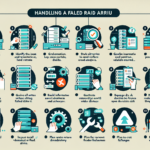
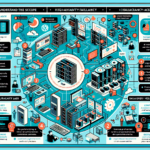
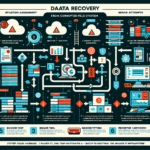
When your backup system fails, move fast. Here’s a systematic approach to contain the damage and restore protection.
1. Assess the Situation Immediately
- Identify the root cause: hardware (storage device), software (backup application), network, or human error.
- Check logs from the backup software, storage devices, and servers to pinpoint the issue.
- Determine which data, systems, or applications are affected and the business impact.
2. Notify Stakeholders
- Inform the IT team and management about the failure and potential risks.
- Prioritize mission-critical systems for immediate attention.
3. Implement Immediate Action
A. Troubleshoot and Fix the Problem
- Restart backup services if the failure is software-related.
- Verify health and availability of backup storage (NAS, SAN, cloud). Replace faulty disks or arrays.
- Test network connectivity between servers and storage systems.
- Fix misconfigured schedules, retention policies, or credentials in the backup software.
B. Perform Manual Backups
- If automated backups are down, manually copy critical data to an alternate location (external drives, cloud storage).
- Focus on high-priority data first: databases, virtual machines, critical files.
4. Verify Data Integrity
- Validate the last successful backup for consistency.
- Run a test restoration from that backup to confirm it’s usable.
5. Review and Reconfigure the Backup System
- Update the backup application with the latest patches.
- Verify schedules, retention policies, and storage paths.
- Confirm sufficient space on backup storage devices.
- Ensure backup services have necessary permissions to systems, files, and storage.
6. Implement Redundancy
- Deploy a secondary backup solution to eliminate single points of failure.
- Integrate cloud backup for offsite redundancy.
- Configure replication for critical systems to achieve near-real-time protection.
7. Document the Incident
- Write a root cause analysis (RCA) covering the failure and resolution steps.
- Identify gaps in the backup strategy and define corrective actions.
- Update standard operating procedures (SOPs) for future incidents.
8. Proactively Prevent Future Failures
- Monitor backup system health, storage devices, and networks continuously.
- Set up automated alerts for backup failures, capacity thresholds, and application errors.
- Schedule regular test restorations to verify backup integrity.
- Review and update the backup plan quarterly to match evolving business needs.
9. Train the Team
- Train staff on backup management, troubleshooting, and recovery procedures.
- Coordinate with application, virtualization, and storage teams so backups are properly configured across the environment.
10. Consider Advanced Protections
- Evaluate backup solutions with predictive failure analytics to optimize scheduling and catch issues early.
- Protect against ransomware with immutable backups and air-gapped storage.

Ali YAZICI is a Senior IT Infrastructure Manager with 15+ years of enterprise experience. While a recognized expert in datacenter architecture, multi-cloud environments, storage, and advanced data protection and Commvault automation , his current focus is on next-generation datacenter technologies, including NVIDIA GPU architecture, high-performance server virtualization, and implementing AI-driven tools. He shares his practical, hands-on experience and combination of his personal field notes and “Expert-Driven AI.” he use AI tools as an assistant to structure drafts, which he then heavily edit, fact-check, and infuse with my own practical experience, original screenshots , and “in-the-trenches” insights that only a human expert can provide.
If you found this content valuable, [support this ad-free work with a coffee]. Connect with him on [LinkedIn].
Related Posts: