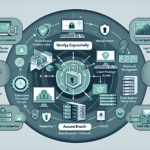
Network Access Control (NAC) ensures only authorized devices and users reach your network. It enforces policy, blocks unauthorized access, and reduces risk from malware and data breaches. Here’s how to configure it in your environment.
1. Define Your NAC Objectives
- Security: Protect sensitive systems and data.
- Compliance: Meet regulatory requirements (e.g., GDPR, HIPAA).
- Visibility: See every device and user on the network.
- Access Control: Restrict access by role, device type, and compliance state.
2. Assess Your Network and Infrastructure
- Inventory devices: Identify everything connected — servers, workstations, IoT, printers.
- Classify users: Group by role, department, or location.
- Evaluate current controls: Review firewalls, VLANs, authentication mechanisms.
3. Choose a NAC Solution
Pick a platform that fits your organization:
- Cisco Identity Services Engine (ISE)
- Aruba ClearPass
- Fortinet FortiNAC
- Microsoft Network Policy Server (NPS) — a RADIUS server often used as part of a NAC deployment
- Open-source options (e.g., PacketFence)
4. Plan Integration with IT Infrastructure
- Switches & routers: Verify compatibility. Most NAC solutions enforce policy through managed switches.
- Authentication servers: Integrate with RADIUS, LDAP, or Active Directory.
- Endpoints: Deploy agents where required, or configure agentless posture checks.
5. Set Up Authentication Mechanisms
- 802.1X: Deploy port-based access control using RADIUS for user and device authentication.
- Certificates: Use PKI-based certificate authentication to validate devices.
- Multi-Factor Authentication (MFA): Require additional factors beyond passwords.
6. Develop Access Policies
- User-based: Restrict by role (e.g., IT admins get full access; contractors get limited).
- Device-based: Control by device type or security posture (e.g., block unpatched endpoints).
- Location-based: Enforce rules by physical location (office vs. remote).
- Time-based: Restrict access to specific hours.
7. Ensure Endpoint Compliance
- Run posture checks for antivirus, OS patches, firewall status.
- Quarantine non-compliant devices until they remediate.
8. Segment Your Network
- Use VLANs or micro-segmentation to isolate sensitive systems (e.g., separate production from test).
- Restrict lateral movement between segments.
9. Implement Real-Time Monitoring
- Monitor traffic and connected devices in real time.
- Alert on unauthorized access attempts or anomalous behavior.
- Log access attempts for audit and analysis.
10. Test and Validate NAC Configuration
- Simulate access attempts with authorized and unauthorized devices/users.
- Test compliance checks and verify quarantined devices can remediate.
- Confirm integration with authentication systems and network hardware.
11. Provide User Training
- Teach users NAC policies, authentication procedures, and compliance requirements.
- Train IT staff on troubleshooting NAC issues.
12. Maintain and Update NAC Policies
- Review policies regularly for new threats or compliance changes.
- Update endpoint checks for new patches, AV signatures, etc.
- Adjust access rules as organizational needs change.
Additional Considerations for Specific IT Areas:
For Datacenter and Servers:
- Enforce NAC at the switch layer to control server access.
- Restrict management interfaces (iDRAC, iLO) to secure subnets.
For Virtualization:
- Integrate NAC with hypervisor consoles (VMware vCenter, Hyper-V).
- Use NAC policies to restrict VM creation and migration to authorized users.
For Kubernetes:
- Leverage Kubernetes RBAC and network policies.
- Enforce NAC for API access and isolate namespaces.
For AI Workloads and GPUs:
- Apply NAC policies to GPU nodes.
- Monitor traffic to and from AI workloads to prevent data exfiltration.
For Remote Access:
- Enforce VPN access with NAC policies for remote users.
- Apply Zero Trust principles to validate remote endpoints.

Ali YAZICI is a Senior IT Infrastructure Manager with 15+ years of enterprise experience. While a recognized expert in datacenter architecture, multi-cloud environments, storage, and advanced data protection and Commvault automation , his current focus is on next-generation datacenter technologies, including NVIDIA GPU architecture, high-performance server virtualization, and implementing AI-driven tools. He shares his practical, hands-on experience and combination of his personal field notes and “Expert-Driven AI.” he use AI tools as an assistant to structure drafts, which he then heavily edit, fact-check, and infuse with my own practical experience, original screenshots , and “in-the-trenches” insights that only a human expert can provide.
If you found this content valuable, [support this ad-free work with a coffee]. Connect with him on [LinkedIn].
Related Posts: