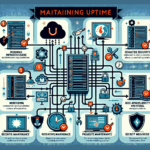
1. Develop and Maintain a Crisis Management Plan
- Incident Response Plan: Define procedures for handling different types of crises — hardware failure, cyberattacks, power outages, etc.
- Disaster Recovery Plan (DRP): Document and test recovery plans for critical systems and data.
- Business Continuity Plan (BCP): Create a plan to maintain essential business operations during a crisis.
2. Perform Regular Risk Assessments
- Identify potential vulnerabilities in your IT infrastructure — outdated hardware, insufficient backups, single points of failure.
- Assess the impact of various crisis scenarios on your systems and applications.
- Implement mitigation measures for high-risk areas.
3. Invest in Redundancy and High Availability
- Data Replication: Set up real-time or near-real-time replication for critical databases and applications.
- Failover Mechanisms: Use cluster technologies and load balancers so services switch to backup systems automatically.
- Geographically Distributed Data Centers: Use multiple locations to protect against localized disasters.
4. Backup and Recovery Best Practices
- Regular Backups: Schedule frequent backups for all critical systems and data.
- Offsite Storage: Store backups in a secure, remote location or cloud-based storage.
- Test Restores: Regularly test your backup restoration process to ensure reliability.
- Immutable Backups: Use write-once-read-many (WORM) storage to protect against ransomware.
5. Maintain Visibility and Monitoring
- Deploy centralized monitoring for servers, storage, network devices, and applications.
- Use monitoring tools that detect anomalies and predict failures before they escalate.
- Set up automated alerts to notify your team of issues in real time.
6. Ensure Effective Communication
- Incident Response Team: Form a trained team with clearly defined roles.
- Stakeholder Communication: Keep business leaders, employees, and customers informed during the crisis.
- Escalation Policies: Define communication paths and escalation procedures for critical issues.
7. Leverage Virtualization and Containerization
- Virtualized Environments: Use virtualization platforms (VMware, Hyper-V, etc.) to simplify resource allocation and recovery.
- Kubernetes: For containerized applications, configure clusters for resilience — auto-scaling, self-healing, multi-node deployments.
- Snapshot Technology: Use VM and container snapshots to quickly restore systems.
8. Secure the Infrastructure
- Access Controls: Limit administrative access and enforce multi-factor authentication (MFA).
- Patch Management: Keep all systems current with security patches.
- Firewalls and Intrusion Detection: Deploy advanced security tools to protect against cyberattacks.
- Incident Detection and Response Tools: Use Security Information and Event Management (SIEM) systems to identify and respond to threats quickly.
9. Adopt Cloud and Hybrid Solutions
- Use cloud services for scalability and rapid deployment during crises.
- Run hybrid cloud solutions to balance workloads between on-premises and cloud environments.
- Put cloud-based disaster recovery in place for mission-critical systems.
10. Keep Documentation Updated
- Maintain detailed documentation of your IT infrastructure — network diagrams, server configurations, application dependencies.
- Ensure crisis management, failover, and recovery procedures are easily accessible.
11. Conduct Regular Training and Simulations
- Train your team on incident response and disaster recovery procedures.
- Run mock drills and simulations — power outage, ransomware attack, hardware failure — to test preparedness.
12. Collaborate with Vendors and Service Providers
- Maintain strong relationships with hardware, software, and cloud vendors.
- Secure support contracts with quick-response SLAs for critical equipment and services.
13. Post-Crisis Review
- After resolving the crisis, conduct a post-mortem analysis to identify lessons learned.
- Improve processes and update plans based on those insights.

Ali YAZICI is a Senior IT Infrastructure Manager with 15+ years of enterprise experience. While a recognized expert in datacenter architecture, multi-cloud environments, storage, and advanced data protection and Commvault automation , his current focus is on next-generation datacenter technologies, including NVIDIA GPU architecture, high-performance server virtualization, and implementing AI-driven tools. He shares his practical, hands-on experience and combination of his personal field notes and “Expert-Driven AI.” he use AI tools as an assistant to structure drafts, which he then heavily edit, fact-check, and infuse with my own practical experience, original screenshots , and “in-the-trenches” insights that only a human expert can provide.
If you found this content valuable, [support this ad-free work with a coffee]. Connect with him on [LinkedIn].
Related Posts: