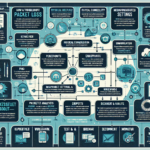
VLAN misconfigurations break connectivity in predictable ways. Start with the symptoms, then work through the layers: switch ports, trunk links, routing, spanning tree, and end devices.
1. Identify the Symptoms
Devices in the same VLAN can’t talk to each other.
Devices can’t reach other VLANs (inter-VLAN routing failure).
Specific users or services report connectivity loss.
Collect logs and error reports from affected systems to narrow the scope.
2. Verify VLAN Configuration on Switches
Log into each switch and list VLANs: show vlan brief (Cisco) or the vendor equivalent. Confirm the VLAN exists and ports are assigned correctly.
Check access ports: show interfaces switchport shows the access VLAN. Ensure end-device ports are in the right VLAN and not in err-disabled state (spanning-tree violations, port security, etc.).
Check trunk ports: show interfaces trunk lists allowed VLANs and the native VLAN. The allowed-VLAN list must include every VLAN that needs to cross that link. Native VLAN must match on both ends — mismatches leak traffic between VLANs.
3. Confirm VLAN Consistency Across the Fabric
Every switch that carries a VLAN must have that VLAN defined. On Cisco gear, VTP can automate this, but VTP is Cisco-proprietary and many networks run in transparent mode or disable it entirely. If you use VTP, verify domain name, mode (server/client/transparent), and version match everywhere.
Trunk allowed-VLAN lists control which VLANs traverse a link. Don’t confuse this with VTP pruning (which limits flooded traffic). If a VLAN is missing from the allowed list, it won’t pass — regardless of VTP.
4. Inspect Inter-VLAN Routing
If cross-VLAN traffic fails, check the Layer 3 gateway (router or L3 switch).
Verify SVIs or router sub-interfaces: correct IP address, correct VLAN ID, no shutdown.
Confirm routing table entries or static routes exist for each VLAN subnet.
Test with ping and traceroute from the gateway itself to isolate whether the problem is routing or switching.
5. Check Spanning Tree
Run show spanning-tree for an overview, then show spanning-tree vlan <id> per VLAN. Look for unexpected root bridges, ports stuck in blocking, or topology changes flapping.
If you run PVST+/RPVST+, each VLAN has its own instance. MST maps multiple VLANs to instances — verify the VLAN-to-instance mapping matches across switches.
PortFast and BPDU Guard on access ports prevent loops from end devices; confirm they’re enabled where appropriate.
6. Validate End-Device Configuration
IP address, subnet mask, and default gateway must match the VLAN’s subnet.
Test with ping (gateway first, then remote VLAN), tracert (Windows) or traceroute (Linux/macOS).
If DHCP is used, confirm the scope matches the VLAN subnet and the helper address (IP helper / DHCP relay) points to the correct server.
7. Audit Firewalls and ACLs
ACLs on SVIs, router interfaces, or firewalls can silently drop inter-VLAN traffic. Check inbound and outbound directions.
Look for implicit denies, misordered rules, or rules that reference the wrong VLAN interface.
Verify security policies actually reflect current requirements — stale rules are common.
8. Use Packet Captures and Interface Counters
SPAN/RSPAN/ERSPAN a trunk or access port and capture with Wireshark. Look for missing 802.1Q tags, wrong VLAN IDs, or malformed frames.
On the switch, show interfaces <name> reveals CRC errors, runts, giants, drops, and buffer failures — physical layer issues that mimic VLAN problems.
Monitoring platforms (SolarWinds, PRTG, LibreNMS, etc.) can alert on error counters and topology changes automatically.
9. Change One Thing at a Time, Document Everything
Before any change, snapshot the running config (copy running-config startup-config or archive to a server).
Make a single change, then test: intra-VLAN ping, inter-VLAN ping, gateway reachability, application traffic.
If it doesn’t help, revert. Don’t stack changes hoping one works.
10. Prevent Recurrence
Write a VLAN standard: naming, numbering, allowed-trunk lists, native VLAN policy, SVI template, STP priorities.
Audit quarterly: script show vlan brief, show interfaces trunk, and show spanning-tree across the fleet; diff against the standard.
Automate with Ansible, Nornir, or your vendor’s config management. Manual consistency doesn’t scale.
Ali YAZICI is a Senior IT Infrastructure Manager with 15+ years of enterprise experience. While a recognized expert in datacenter architecture, multi-cloud environments, storage, and advanced data protection and Commvault automation , his current focus is on next-generation datacenter technologies, including NVIDIA GPU architecture, high-performance server virtualization, and implementing AI-driven tools. He shares his practical, hands-on experience and combination of his personal field notes and “Expert-Driven AI.” he use AI tools as an assistant to structure drafts, which he then heavily edit, fact-check, and infuse with my own practical experience, original screenshots , and “in-the-trenches” insights that only a human expert can provide.