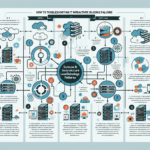
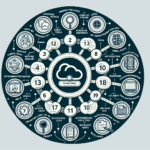
Troubleshooting firewall rule conflicts in IT infrastructure requires a systematic approach to identify and resolve the issue effectively. Here’s a step-by-step guide:
1. Understand the Environment
Identify where the firewall sits (datacenter edge, internal zones, Kubernetes cluster, etc.).
List the systems, servers, and applications affected by the firewall rules.
Confirm who manages the rules (network team, security team) and ensure coordination.
2. Gather Information
Define the symptoms: failed connections, dropped packets, latency.
Pinpoint the services or applications that aren’t functioning correctly (Kubernetes pods, backup servers, workloads).
Review firewall logs to identify blocked traffic or denied requests.
3. Validate Configuration
Check for overlapping rules that may conflict (allow vs. deny).
Confirm priority levels and rule order (most firewalls process rules sequentially).
Verify source/destination IP addresses, ports, and protocols.
Ensure systems are in the correct security groups or VLANs.
Verify dynamic group assignments (e.g., Kubernetes network policies).
Investigate recent changes to firewall rules, policies, or infrastructure.
4. Use Troubleshooting Tools
Capture traffic with Wireshark or tcpdump to check for anomalies.
Use built-in features such as “rule hit counters” or “test rule” commands to see if traffic matches expected rules.
Run ping and traceroute to check connectivity and routing.
Simulate traffic with tools like Cisco Firepower, Palo Alto Expedition, or Fortinet Analyzer to test rules.
Optimize policies for specific workloads (GPU-intensive applications, Windows/Linux servers, Kubernetes pods).
6. Specific Use Cases
Kubernetes: Check NetworkPolicies within clusters to ensure they don’t conflict with external firewall rules. Verify CNI plugin configurations (Calico, Flannel).
Backup Systems: Ensure ports required by backup software (Veeam, CommVault) are open.
High-Performance Computing (HPC): Validate that GPU-enabled workloads have required firewall exceptions (e.g., traffic to NVIDIA GPU nodes).
7. Collaborate and Communicate
Work with cross-functional teams (network, security, application) to resolve conflicts.
Notify impacted teams of rule changes and expected outcomes.
8. Test and Verify
Implement rule changes incrementally to minimize disruption.
Use monitoring tools (SolarWinds, Nagios, Prometheus) to verify traffic flows as expected.
Retest affected services to ensure the fix doesn’t introduce new issues.
9. Prevent Future Conflicts
Maintain a centralized repository of firewall rules with clear descriptions.
Use Infrastructure-as-Code (IaC) tools (Terraform, Ansible) to manage firewall configurations.
Periodically review and update firewall policies to align with evolving infrastructure needs.
Implement alerting mechanisms for potential rule conflicts.
Ali YAZICI is a Senior IT Infrastructure Manager with 15+ years of enterprise experience. While a recognized expert in datacenter architecture, multi-cloud environments, storage, and advanced data protection and Commvault automation , his current focus is on next-generation datacenter technologies, including NVIDIA GPU architecture, high-performance server virtualization, and implementing AI-driven tools. He shares his practical, hands-on experience and combination of his personal field notes and “Expert-Driven AI.” he use AI tools as an assistant to structure drafts, which he then heavily edit, fact-check, and infuse with my own practical experience, original screenshots , and “in-the-trenches” insights that only a human expert can provide.