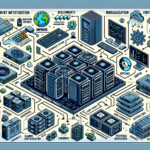
Building a GPU inference pipeline for real-time workloads takes deliberate choices at every layer. Here’s the practical breakdown.
1. Hardware Setup
GPU Selection: Pick GPUs built for inference. NVIDIA A100 and T4 are datacenter standards; RTX 3090/4090 work for dev or small-scale deployments if you accept consumer-grade limits.
Server Configuration: Your servers need enough PCIe lanes, cooling headroom, and power budget for the GPUs. For density, look at NVIDIA DGX or Supermicro GPU servers.
Networking: Real-time means low latency. Use 10GbE or 100GbE NICs; InfiniBand with RDMA if the budget allows.
Storage: NVMe SSDs for model loads and feature stores. If your datasets are large, the storage subsystem must sustain high IOPS.
2. Software and Frameworks
GPU Drivers: Install current NVIDIA drivers and the CUDA toolkit on each host.
Inference Frameworks: Use frameworks built for GPU inference:
TensorRT: NVIDIA’s library for optimizing neural networks for inference.
ONNX Runtime: Runs ONNX models with GPU acceleration.
PyTorch/TensorFlow: Both run on GPU, but TensorRT or ONNX Runtime typically perform better in production.
Containerization: Package pipelines in Docker. NVIDIA’s NGC registry has prebuilt images.
3. Model Optimization
Quantization: Convert models to FP16 or INT8 to cut compute needs while keeping accuracy acceptable.
Pruning: Remove unnecessary parameters to shrink the model and cut latency.
Batching: Tune batch size to balance latency and throughput for your workload.
4. Virtualization and Kubernetes
GPU Virtualization:
Use NVIDIA vGPU to share a GPU across VMs when you need to.
Kubernetes Integration:
Run inference pipelines on GPU-enabled Kubernetes nodes.
Install the NVIDIA device plugin so pods can request GPUs.
Deploy with Helm charts or custom YAML.
Autoscaling: Set up HPA to scale on GPU utilization or request rate.
5. Real-Time Application Setup
Low-Latency Communication:
Connect your application to the inference service with gRPC or REST.
Enable GPUDirect RDMA for low-latency GPU-to-network transfers.
Streaming:
For video or audio, pipe FFmpeg into your inference pipeline.
Load Balancing:
Put a load balancer in front of multiple GPU nodes.
6. Monitoring and Optimization
Telemetry and Monitoring:
Monitor GPUs with NVIDIA DCGM.
Feed DCGM metrics into Prometheus and Grafana to track utilization, latency, and errors.
Profiling:
Profile with Nsight Systems or the framework profilers to find bottlenecks.
Scaling and Failover:
Configure Kubernetes scaling policies for demand.
Add failover for high availability.
7. Security
Data Encryption: Encrypt in transit with TLS and at rest with disk encryption.
Access Controls: Control access to GPUs and inference APIs with RBAC.
Isolation: Isolate tenants with containers or VMs.
8. Testing and Deployment
Stress Testing: Load-test with realistic traffic to verify GPU utilization and latency at peak.
A/B Testing: Run A/B tests to compare pipeline versions.
CI/CD Pipelines: Automate model and code deployments with CI/CD into Kubernetes.
9. Documentation and Training
Document the architecture and runbooks.
Train the team on maintenance, optimization, and GPU troubleshooting.
Ali YAZICI is a Senior IT Infrastructure Manager with 15+ years of enterprise experience. While a recognized expert in datacenter architecture, multi-cloud environments, storage, and advanced data protection and Commvault automation , his current focus is on next-generation datacenter technologies, including NVIDIA GPU architecture, high-performance server virtualization, and implementing AI-driven tools. He shares his practical, hands-on experience and combination of his personal field notes and “Expert-Driven AI.” he use AI tools as an assistant to structure drafts, which he then heavily edit, fact-check, and infuse with my own practical experience, original screenshots , and “in-the-trenches” insights that only a human expert can provide.