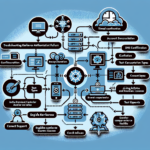
Determine the scope and specifics of the replication problem first.
Check Event Viewer for replication-related errors or warnings (Event IDs 1864, 2103, 1084).
Run the Active Directory Replication Status Tool (ADREPLSTATUS) — Microsoft’s free diagnostic utility.
Use repadmin /replsummary for a quick replication health summary across all DCs.
2. Verify Network Connectivity
Replication needs stable network connectivity between domain controllers.
Ping the affected DCs to confirm reachability.
Check DNS resolution for DC names with nslookup <dc-name>.
Confirm required ports are open between DCs: 135 (RPC), 445 (SMB), 389 (LDAP), 636 (LDAPS), plus 53 (DNS), 88 (Kerberos), 123 (NTP), and 3268/3269 (Global Catalog) if applicable.
3. Check Time Synchronization
Kerberos authentication requires synchronized clocks; time drift breaks replication.
Run w32tm /query /status on each DC to verify time configuration.
Ensure the forest-root PDC Emulator syncs with an external time source and all other DCs sync with the PDC Emulator.
4. Verify DNS Configuration
Active Directory relies on DNS for replication.
Confirm each DC points to itself for DNS (primary) and other DCs as secondary.
Run dcdiag /test:dns to validate DNS health.
Verify SRV records (e.g., _ldap._tcp) exist for the affected DCs.
5. Use Repadmin for Diagnostics
Repadmin is the primary command-line tool for AD replication troubleshooting.
repadmin /showrepl — displays replication status for all DCs.
repadmin /showconn — shows connection objects between DCs.
repadmin /syncall — forces synchronization across all DCs (use cautiously; generates heavy traffic).
Ali YAZICI is a Senior IT Infrastructure Manager with 15+ years of enterprise experience. While a recognized expert in datacenter architecture, multi-cloud environments, storage, and advanced data protection and Commvault automation , his current focus is on next-generation datacenter technologies, including NVIDIA GPU architecture, high-performance server virtualization, and implementing AI-driven tools. He shares his practical, hands-on experience and combination of his personal field notes and “Expert-Driven AI.” he use AI tools as an assistant to structure drafts, which he then heavily edit, fact-check, and infuse with my own practical experience, original screenshots , and “in-the-trenches” insights that only a human expert can provide.