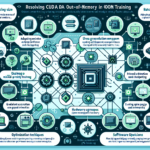
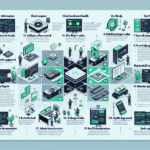
Optimizing TensorFlow or PyTorch for multi-GPU training takes a mix of hardware choices, software setup, and training strategy. Here’s what works.
1. Hardware Setup
Connect GPUs with high-bandwidth links — NVLink on NVIDIA cards — to cut communication overhead.
Use PCIe Gen4 or NVLink for faster GPU-to-GPU data transfer.
Keep thermals in check. Thermal throttling kills performance fast.
2. Software Environment
Install current NVIDIA drivers, CUDA toolkit, and cuDNN. TensorFlow and PyTorch both depend on them.
Run recent stable framework versions with multi-GPU support for your hardware.
3. Multi-GPU Training Strategies
a. Data Parallelism (Recommended for Most Cases)
TensorFlow:
Use tf.distribute.MirroredStrategy. It replicates the model per GPU, splits the batch, and syncs gradients on backprop. python
strategy = tf.distribute.MirroredStrategy()
with strategy.scope():
model = build_model()
model.compile(optimizer='adam', loss='categorical_crossentropy')
model.fit(train_dataset, epochs=10)
PyTorch:
Prefer torch.nn.parallel.DistributedDataParallel (DDP) over DataParallel. DDP scales better and avoids the single-process bottleneck. python
model = MyModel()
model = torch.nn.parallel.DistributedDataParallel(model)
model.to(device)
optimizer = torch.optim.Adam(model.parameters())
b. Model Parallelism
Split the model across GPUs when it won’t fit in one GPU’s memory. This takes manual layer partitioning.
4. Optimize Data Loading and Preprocessing
Use tf.data (TensorFlow) or DataLoader with multiple workers (PyTorch) to keep the GPU fed.
Prefetch to overlap data prep with compute.
TensorFlow: dataset.prefetch(tf.data.AUTOTUNE)
PyTorch: DataLoader(dataset, num_workers=4, pin_memory=True)
5. Mixed Precision Training
Enable mixed precision to use Tensor Cores on Volta, Turing, Ampere, and newer GPUs. Cuts memory use and speeds up math.
Ali YAZICI is a Senior IT Infrastructure Manager with 15+ years of enterprise experience. While a recognized expert in datacenter architecture, multi-cloud environments, storage, and advanced data protection and Commvault automation , his current focus is on next-generation datacenter technologies, including NVIDIA GPU architecture, high-performance server virtualization, and implementing AI-driven tools. He shares his practical, hands-on experience and combination of his personal field notes and “Expert-Driven AI.” he use AI tools as an assistant to structure drafts, which he then heavily edit, fact-check, and infuse with my own practical experience, original screenshots , and “in-the-trenches” insights that only a human expert can provide.