Optimizing server rack density means fitting more compute into the same footprint without melting your hardware or tripping breakers. The constraints are always power, cooling, and physical space — usually in that order. Here are the strategies that actually work.
1. Use high-density server hardware
Deploy blade servers or high-density rack units (1U/2U multi-node) to pack more compute per U.
For GPU workloads, use GPU-dense chassis that consolidate 4–8 GPUs in 4U instead of spreading them across multiple 1U boxes.
For storage, choose high-capacity arrays or servers with 24–36 drive bays in 4U rather than 12-bay 2U units.
2. Virtualize and containerize
Consolidate workloads onto fewer physical hosts using hypervisors (VMware, Hyper-V, KVM) or Kubernetes for containers.
Right-size VMs and containers — monitor actual CPU/memory usage and shrink allocations. Most workloads run at 10–20% utilization.
3. Optimize cooling
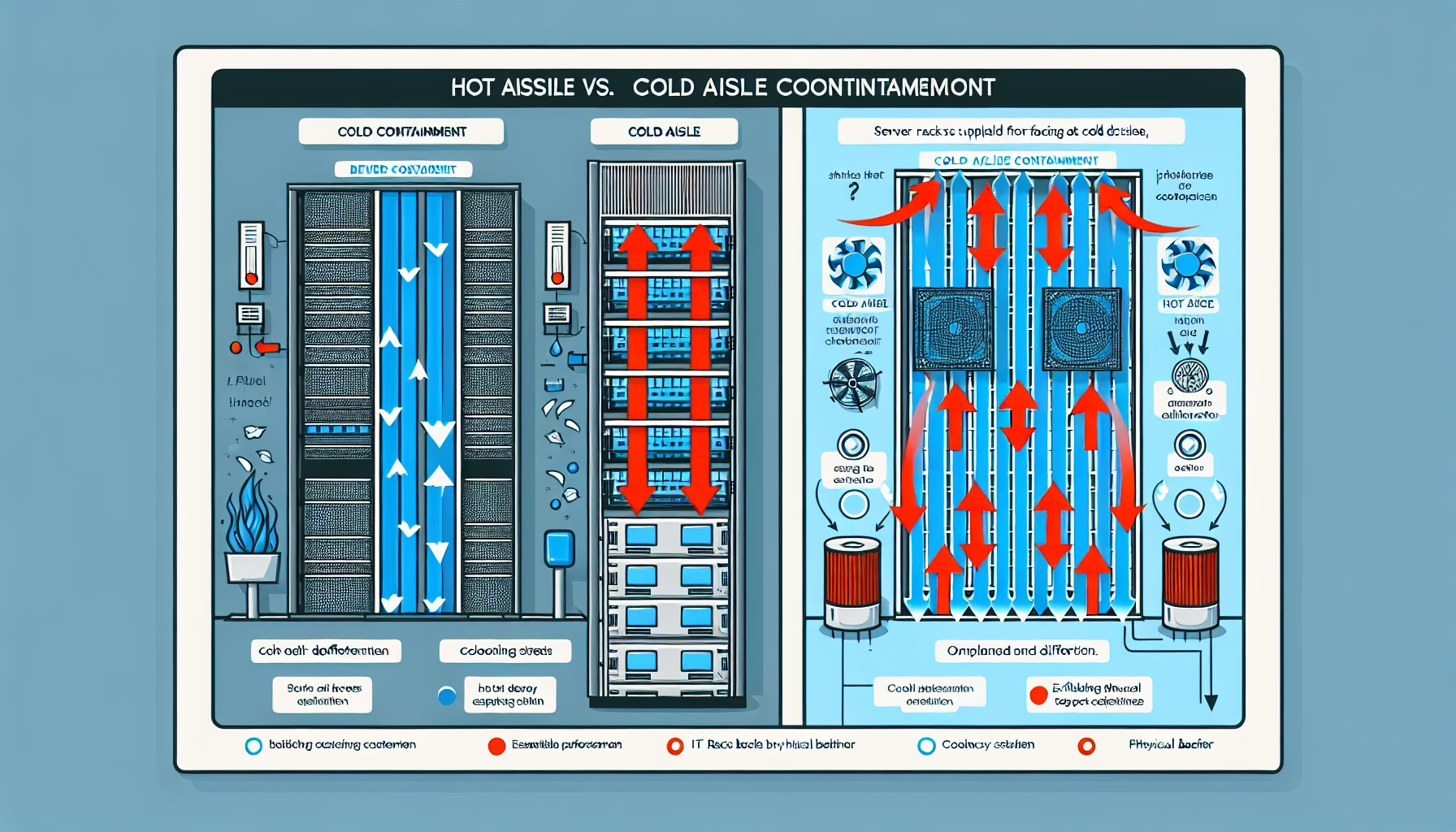
Implement hot/cold aisle containment. It’s the single highest-ROI cooling improvement for density.
Above ~15 kW/rack, plan for liquid cooling — direct-to-chip or rear-door heat exchangers. Air cooling hits a wall there.
Install blanking panels in every empty U. Hot air recirculation through gaps kills cooling efficiency.
Seal cable cutouts in raised floor and rack tops. Unsealed openings bypass containment.
4. Power management
Use high-capacity PDUs (60A/3-phase or 32A/3-phase internationally) with per-outlet monitoring.
Balance loads across phases. Unbalanced phases waste capacity and trip breakers early.
Monitor power at the rack and server level. Set alerts at 80% of circuit rating.
Size UPS for the actual load plus growth, not nameplate ratings. Real draw is typically 60–70% of nameplate.
5. Cable management
Use vertical cable managers (zero-U) on both sides of the rack. Route power and data separately.
Cut cables to length. Service loops belong in the cable manager, not coiled behind servers blocking airflow.
Color-code by function (management, storage, production) and label both ends.
6. Rack design and layout
Standardize on 42U or 48U racks. Taller racks give more U per floor tile.
Leave 1U gaps only where airflow or cable routing demands it — not as a default.
Place heaviest equipment (UPS batteries, dense storage) at the bottom for stability.
Align rack rows with floor tile cuts. Misaligned racks waste cold air.
7. Monitoring and automation
Deploy DCIM software to track per-rack power, temperature, and U-space utilization in real time.
Set temperature alerts per ASHRAE A1/A2 guidelines (18–27°C / 64–81°F at rack inlet).
Automate VM placement and power capping policies to keep racks balanced.
8. Consolidate workloads
Merge small databases and applications onto shared larger instances. License costs often drop too.
Move bursty, non-latency-sensitive workloads to cloud or colo to free rack space for steady high-density loads.
9. Audit and plan capacity
Run quarterly audits: actual power draw vs. budget, inlet temperatures, U-space free, stranded capacity.
Track “ghost servers” — powered-on but doing zero work. Decommission them.
Model growth 12–18 months out. Order PDUs and cooling capacity before you need them.
Ali YAZICI is a Senior IT Infrastructure Manager with 15+ years of enterprise experience. While a recognized expert in datacenter architecture, multi-cloud environments, storage, and advanced data protection and Commvault automation , his current focus is on next-generation datacenter technologies, including NVIDIA GPU architecture, high-performance server virtualization, and implementing AI-driven tools. He shares his practical, hands-on experience and combination of his personal field notes and “Expert-Driven AI.” he use AI tools as an assistant to structure drafts, which he then heavily edit, fact-check, and infuse with my own practical experience, original screenshots , and “in-the-trenches” insights that only a human expert can provide.