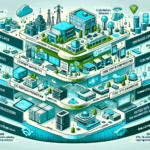
Hybrid AI/ML workloads run across on-premises infrastructure and public cloud. Here’s how to configure your environment for them.
1. Assess Your Requirements
- Workload Analysis
- Determine the type of AI/ML models you’ll run (training, inference, or both).
- Identify compute, storage, and networking needs.
- Decide whether you need GPUs, TPUs, or CPUs.
- Data Location
- Map where your data lives (on-prem, cloud, or both).
- Factor in data gravity, compliance, and latency constraints.
- Scalability
- Estimate how workloads will grow over time.
2. Build a Hybrid Cloud Strategy
- Choose the Right Cloud Provider
- Pick a provider that integrates cleanly with your on-prem environment (AWS, Azure, Google Cloud).
- Hybrid Management Tools
- Use VMware vSphere, Nutanix, or Kubernetes to manage workloads across environments.
- Consider Azure Arc, AWS Outposts, or Google Anthos for unified control.
3. Compute Infrastructure
- High-Performance Servers
- Buy servers sized for AI/ML — latest CPUs (AMD EPYC, Intel Xeon) and GPUs (NVIDIA A100, H100).
- GPU Acceleration
- Run GPU-enabled servers on-prem for training and inference.
- Use NVIDIA CUDA, TensorRT, or ROCm libraries to maximize GPU utilization.
- Cloud Bursting
- Configure automatic offload to cloud when on-prem capacity is saturated.
4. Data Storage
- High-Performance Storage
- Use NVMe or SSD for low-latency, high-throughput access to training data.
- Scalable Storage Solutions
- Deploy distributed systems like Ceph, Lustre, or Dell PowerScale for large datasets.
- Hybrid Storage
- Synchronize on-prem and cloud storage with AWS Storage Gateway, Azure Blob Storage, or Google Cloud Storage Transfer Service.
5. Networking
- High-Speed Connectivity
- Provision low-latency, high-bandwidth links between your datacenter and cloud.
- Use dedicated connections: AWS Direct Connect, Azure ExpressRoute, Google Cloud Interconnect.
- Network Optimization
- Apply caching, compression, and deduplication to reduce transfer volume.
- Container Networking
- Configure Kubernetes CNI plugins (Calico, Flannel) for AI/ML container workloads.
6. Virtualization and Orchestration
- Virtual Machines
- Run VMs when you need strong isolation or legacy application support.
- Containers
- Containerize with Docker for portability across hybrid environments.
- Kubernetes
- Orchestrate containerized AI/ML workloads with Kubernetes.
- Add operators for Kubeflow, MLflow, or NVIDIA GPU Operator.
- Serverless Options
- Reserve serverless (AWS Lambda, Azure Functions) for lightweight inference only — memory and timeout limits rule out most model serving.
7. Backup and Disaster Recovery
- Data Backup
- Back up datasets and models with Veeam, Cohesity, or Commvault.
- Disaster Recovery
- Design a DR plan covering both on-prem and cloud.
- Use Zerto or VMware Site Recovery Manager for hybrid failover.
8. AI/ML Frameworks and Tools
- Install frameworks: TensorFlow, PyTorch, MXNet, Hugging Face.
- Use managed cloud services for hybrid workloads: AWS SageMaker, Azure ML, Google Vertex AI.
- Adopt MLOps tooling for lifecycle management (MLflow, Kubeflow).
9. Monitoring and Observability
- On-Prem Monitoring
- Track infrastructure with Prometheus, Grafana, or Zabbix.
- Cloud Monitoring
- Use native tools: AWS CloudWatch, Azure Monitor, Google Cloud Operations.
- AI-Specific Monitoring
- Monitor GPUs via NVIDIA DCGM.
- Track experiments and models with Weights & Biases or similar platforms.
10. Security and Compliance
- Data Encryption
- Encrypt at rest and in transit (TLS, AES-256).
- Access Control
- Enforce RBAC and identity federation (Azure AD, AWS IAM).
- Compliance
- Validate GDPR, HIPAA, PCI-DSS requirements in both environments.
11. Test, Optimize, and Automate
- Benchmarking
- Test the hybrid stack with real workloads before production.
- Optimization
- Continuously tune compute, storage, and network configs.
- Automation
- Automate deployment and scaling with Ansible, Terraform, or Kubernetes operators.

Ali YAZICI is a Senior IT Infrastructure Manager with 15+ years of enterprise experience. While a recognized expert in datacenter architecture, multi-cloud environments, storage, and advanced data protection and Commvault automation , his current focus is on next-generation datacenter technologies, including NVIDIA GPU architecture, high-performance server virtualization, and implementing AI-driven tools. He shares his practical, hands-on experience and combination of his personal field notes and “Expert-Driven AI.” he use AI tools as an assistant to structure drafts, which he then heavily edit, fact-check, and infuse with my own practical experience, original screenshots , and “in-the-trenches” insights that only a human expert can provide.
If you found this content valuable, [support this ad-free work with a coffee]. Connect with him on [LinkedIn].
Related Posts: