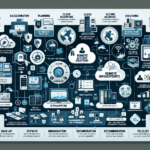
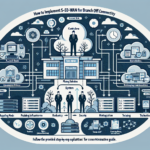
Configuring IT infrastructure for Virtual Desktop Infrastructure (VDI) takes planning, the right hardware and software choices, and a deployment strategy that matches your constraints. Here’s how to design and implement a VDI solution:
1. Assess Business Requirements
Understand use cases. Is VDI for remote work, secure access, or specialized workloads like engineering and design?
Estimate user load: number of users, concurrency, and workload types (general office, multimedia, 3D modeling, etc.).
Define performance expectations — latency, application responsiveness, data access speeds.
2. Choose the Right VDI Solution
VDI platforms:
VMware Horizon
Citrix Virtual Apps and Desktops
Microsoft Azure Virtual Desktop (AVD)
Nutanix Frame
Deployment model:
Cloud VDI for scalability and remote access.
On-premises VDI for compliance and control.
3. Design the IT Infrastructure
Compute (Servers)
Select enterprise-grade servers with sufficient CPU, RAM, and GPU:
CPU: Multi-core processors with high clock speeds (Intel Xeon or AMD EPYC).
RAM: Allocate at least 4–8 GB per virtual desktop; reserve memory for the hypervisor and management layer.
GPU: For graphics-intensive workloads (CAD, video editing), include NVIDIA GPUs with vGPU software (formerly GRID).
Storage
Performance: Use SSDs or NVMe for low latency and high IOPS.
Capacity: Plan for OS images, user profiles, and applications.
Type:
All-flash for high-performance workloads.
Hybrid (HDD + SSD) for cost efficiency.
Protocols: SAN, NAS, or hyper-converged infrastructure (HCI) depending on scalability needs.
Network
Bandwidth: Ensure high-speed connections between end-users and the VDI infrastructure.
Redundancy: Use redundant network paths to prevent downtime.
Segmentation: Isolate VDI traffic with VLANs or SDN for security.
Load balancing: Deploy load balancers to distribute user sessions across VDI servers.
Backup and Recovery
Backups: Integrate VDI-aware backup solutions to protect user profiles and desktop images.
Disaster recovery: Design a DR solution that replicates VDI workloads to a secondary site or cloud.
4. Implement Virtualization and Hypervisor
Deploy a hypervisor to manage VMs and optimize resource utilization. Options: VMware ESXi, Microsoft Hyper-V, Nutanix AHV, or KVM.
Enable resource allocation, clustering, and high availability (HA).
5. Configure VDI Components
Desktop Images
Create and maintain a golden master image of the OS with pre-installed applications.
Use tools like VMware App Volumes or Citrix App Layering for application virtualization.
User Profile Management
Implement profile management (FSLogix, Citrix Profile Management) so user experience persists across sessions.
Connection Broker
Deploy a connection broker to manage user connections to virtual desktops (VMware Horizon Connection Server, Citrix Delivery Controller).
Configure policies for session management, user authentication, and resource allocation.
Authentication
Require multi-factor authentication (MFA) for logins.
Integrate with Active Directory for centralized user management.
6. Optimize for Performance
Patching and updates: Regularly update the hypervisor, VDI software, and OS images.
Resource scaling: Monitor usage and scale compute, storage, or network as needed.
Image optimization: Strip unnecessary services and features from golden images.
7. Test and Pilot
User testing: Deploy a small-scale pilot to validate performance, usability, and security.
Load testing: Simulate peak user loads to verify stability and scalability.
Fine-tuning: Adjust configurations based on feedback and monitoring results.
8. Security and Compliance
Endpoint security: Secure client devices with antivirus and endpoint detection solutions.
Encryption: Encrypt data in transit (TLS) and at rest.
Access control: Apply least privilege and role-based permissions.
Compliance: Verify the solution meets relevant standards (GDPR, HIPAA, etc.).
9. Monitoring and Management
Use centralized monitoring to track system health, resource utilization, and user experience (VMware vRealize Operations, Citrix Director, or third-party tools).
Ali YAZICI is a Senior IT Infrastructure Manager with 15+ years of enterprise experience. While a recognized expert in datacenter architecture, multi-cloud environments, storage, and advanced data protection and Commvault automation , his current focus is on next-generation datacenter technologies, including NVIDIA GPU architecture, high-performance server virtualization, and implementing AI-driven tools. He shares his practical, hands-on experience and combination of his personal field notes and “Expert-Driven AI.” he use AI tools as an assistant to structure drafts, which he then heavily edit, fact-check, and infuse with my own practical experience, original screenshots , and “in-the-trenches” insights that only a human expert can provide.