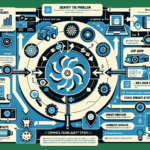
Troubleshooting application compatibility issues in a mixed infrastructure — datacenters, storage, backup, servers, virtualization, Kubernetes, GPU workloads — takes a methodical process. Here’s how to work through it.
Step 1: Identify the Scope
- Gather the application’s documented requirements: supported OS versions, libraries, dependencies, hardware minimums.
- Determine whether the problem is isolated to one component (OS, hypervisor, Kubernetes, GPU drivers) or spans the stack.
- Collect logs from the application, OS, hypervisor, Kubernetes pods, and any other relevant layer.
Step 2: Analyze the Environment
Hardware
- Verify server, storage, and GPU compatibility against the application’s requirements.
- Check firmware versions — BIOS, RAID controllers, GPU drivers — and update where needed.
Operating System
- Confirm the application supports your OS version (Windows Server, RHEL-compatible distributions, Ubuntu LTS).
- Validate required libraries and dependencies are present (.NET, Python, shared libraries).
Virtualization
- If running in a VM, confirm hypervisor compatibility (VMware ESXi, Hyper-V).
- Verify resource allocation (CPU, memory, storage) to the VM.
- Check for nested virtualization or feature requirements (SR-IOV, GPU passthrough).
Kubernetes and Containers
- Confirm the container image works with your cluster’s Kubernetes version.
- Validate networking compatibility (CNI plugins, DNS resolution).
- Check resource requests/limits, node taints, tolerations, and affinity rules.
- Ensure the image architecture matches your nodes (x86_64, ARM64).
Storage and Backup
- Verify storage protocol compatibility (NFS, iSCSI, SMB, object storage).
- For Kubernetes persistent storage, confirm PVC configuration.
- Check filesystem compatibility (NTFS, ext4, XFS).
AI and GPU Workloads
- Verify GPU model support (e.g., NVIDIA A100, H100; consumer cards like RTX 3090 are not validated for production).
- Confirm CUDA, cuDNN, and TensorRT versions match application requirements.
- Validate GPU allocation in Kubernetes (device plugins, resource limits) or virtualization (passthrough, vGPU).
Step 3: Test in Isolation
- Build a test environment that mirrors production. Deploy the application on a clean system with minimal configuration to eliminate external factors.
- Roll back recent changes — OS patches, Kubernetes upgrades, driver updates — that may have introduced the issue.
Step 4: Research Known Issues
- Check vendor documentation, release notes, and compatibility matrices for every component in the stack.
- Search vendor knowledge bases, GitHub issues, and community forums for matching symptoms.
- Open a support ticket with the application vendor if the issue appears documented.
Step 5: Apply Fixes
- Patch or upgrade the application, OS, drivers, or infrastructure components (Kubernetes, hypervisor) if outdated software is the cause.
- Reconfigure network, storage, or resource settings to meet requirements — adjust Kubernetes manifests, VM settings, or OS parameters.
- Install missing dependencies: libraries, plugins, drivers, runtime packages (Python wheels, GPU runtime libraries).
Step 6: Validate Changes
- Test the application thoroughly after each change. Confirm the original issue is resolved.
- Run regression tests on adjacent services to ensure no regressions.
- Document the root cause, fix steps, and any configuration changes for future reference.
Step 7: Prevent Recurrence
- Add compatibility testing to your change management process before deploying new applications, upgrades, or infrastructure changes.
- Standardize OS versions, Kubernetes configurations, and virtualization settings across environments.
- Use monitoring (Prometheus, Grafana, or your stack of choice) to catch compatibility drift early.
Common Troubleshooting Tools
- Logging and monitoring: ELK stack, Splunk, Prometheus/Grafana
- Virtualization management: vSphere, Hyper-V Manager
- Kubernetes: kubectl, Helm, Lens
- GPU: nvidia-smi, ROCm for AMD
- Storage: SAN/NAS management interfaces, CSI drivers for Kubernetes

Ali YAZICI is a Senior IT Infrastructure Manager with 15+ years of enterprise experience. While a recognized expert in datacenter architecture, multi-cloud environments, storage, and advanced data protection and Commvault automation , his current focus is on next-generation datacenter technologies, including NVIDIA GPU architecture, high-performance server virtualization, and implementing AI-driven tools. He shares his practical, hands-on experience and combination of his personal field notes and “Expert-Driven AI.” he use AI tools as an assistant to structure drafts, which he then heavily edit, fact-check, and infuse with my own practical experience, original screenshots , and “in-the-trenches” insights that only a human expert can provide.

If you found this content valuable, [support this ad-free work with a coffee]. Connect with him on [LinkedIn].