Long-term data archival demands a strategy that covers integrity, security, accessibility, and compliance. Here’s how to build one.
1. Assess Your Archival Needs
- Data type: determine what you’re archiving (compliance records, logs, historical data, media files).
- Retention period: define how long each category must be kept based on legal, regulatory, or business requirements.
- Access frequency: understand how often you’ll need to retrieve the data.
2. Choose the Right Storage Medium
Long-term archival requires reliable storage. Consider these options:
Tape Storage (LTO – Linear Tape-Open)
- Advantages: extremely cost-effective at scale, 10–30 year shelf life, low power consumption.
- Disadvantages: slower access than disk or cloud.
Cloud Storage
- Advantages: scalability, pay-as-you-go, built-in redundancy, global accessibility.
- Disadvantages: long-term costs accumulate, vendor dependency, potential latency.
Object Storage
- Ideal for unstructured data with metadata support.
- Examples: on-premises (Dell ECS, MinIO) or cloud (AWS S3 Glacier, Azure Archive Storage).
Optical Media (Blu-ray/DVD)
- Advantages: long lifespan with proper storage, immune to electromagnetic interference.
- Disadvantages: limited capacity, slow access.
Hard Drives & SSDs
- Suitable for short- to medium-term archival; not ideal for decades due to hardware failures and data retention limits.
3. Implement Data Redundancy
- Use RAID configurations for on-premises storage.
- If using cloud, verify the provider replicates across regions.
- Maintain multiple copies of critical data on different media (e.g., tape and cloud).
4. Ensure Data Integrity
- Regularly verify archived data with checksums or hash algorithms.
- Implement data scrubbing to detect and correct corruption.
- Use write-once-read-many (WORM) technology to prevent accidental overwrites.
5. Automate Archival Processes
- Use backup and archival software (Veeam, Commvault, Veritas, Rubrik) to automate data movement.
- Set policies for automatic tiering (e.g., move old or infrequently accessed data to archive storage).
6. Address Compliance Requirements
- Know the regulations that apply (GDPR, HIPAA, SOX, PCI DSS) and ensure your solution meets them.
- Implement audit trails to track access and modifications.
7. Secure Archived Data
- Encrypt data at rest and in transit.
- Restrict access with role-based access control (RBAC).
- Store encryption keys securely (hardware security modules or key management systems).
8. Plan for Scalability
As data volumes grow, your archival solution must scale without disruptive migrations. Object storage and cloud archives handle this well.
9. Test Retrieval Processes
- Periodically test restores from archive.
- Document retrieval procedures for future reference.
10. Monitor Archival Costs
- Regularly evaluate cost-effectiveness.
- Move data to lower-cost tiers (warm to cold) as access needs drop.
11. Disaster Recovery
- Include archival data in your DR plan.
- Store copies in geographically diverse locations.
12. Plan for Technology Obsolescence
- Periodically assess the risk of storage media becoming unreadable.
- Migrate to newer formats as needed (e.g., LTO-6 to LTO-9 tapes).
Recommended Tools and Solutions
- Tape Libraries: Dell PowerVault, HPE StoreEver.
- Cloud Providers: AWS Glacier, Azure Archive Storage, Google Cloud Coldline.
- Backup & Archival Software: Veeam, Commvault, Veritas NetBackup, Rubrik.
- Object Storage: MinIO, Dell ECS, AWS S3.
Example Workflow
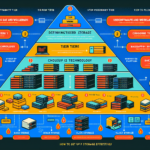
- Implement a tiered storage system.
- Active data: SSD/HDD or high-performance storage.
- Cold data: tape or cloud archive.
- Automate data movement with policy-based tiering.
- Encrypt, compress, and verify data during archival.
- Store multiple copies in geographically diverse locations.
- Regularly test retrieval and monitor storage health.

Ali YAZICI is a Senior IT Infrastructure Manager with 15+ years of enterprise experience. While a recognized expert in datacenter architecture, multi-cloud environments, storage, and advanced data protection and Commvault automation , his current focus is on next-generation datacenter technologies, including NVIDIA GPU architecture, high-performance server virtualization, and implementing AI-driven tools. He shares his practical, hands-on experience and combination of his personal field notes and “Expert-Driven AI.” he use AI tools as an assistant to structure drafts, which he then heavily edit, fact-check, and infuse with my own practical experience, original screenshots , and “in-the-trenches” insights that only a human expert can provide.
If you found this content valuable, [support this ad-free work with a coffee]. Connect with him on [LinkedIn].
Related Posts: