Disasters hit without warning: hurricanes, fires, ransomware, power failures. A disaster recovery (DR) plan is the only thing that lets you restore critical systems and data before the business bleeds out.
Assess the risks. Map every critical system, its dependencies, and the maximum tolerable downtime (RTO) and data loss (RPO). Rank threats by likelihood and impact — regional weather, grid instability, supply-chain attacks — so you know where to spend first.
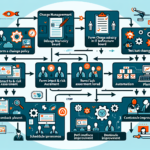
Build the business continuity plan. Document step-by-step recovery procedures for each tier-1 application. Define roles, escalation paths, and communication channels (including out-of-band). Include runbooks for failover, failback, and manual workarounds when automation fails.
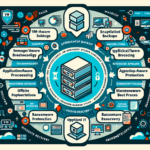
Deploy backup and replication that survives the disaster. Follow the 3-2-1 rule: three copies, two media types, one off-site and immutable. Combine on-premises snapshots with off-premises replication — cloud, colocation, or tape — so a single event cannot wipe every copy.
Test like you mean it. Run quarterly tabletop exercises, annual non-disruptive failover tests, and a full cutover at least once a year. Measure actual RTO/RPO against targets. Capture every gap, assign owners, and close the loop before the next cycle.
Keep the plan current. Review after every infrastructure change, personnel turnover, security incident, or test failure. Update runbooks, contact lists, and recovery priorities in the same change window that touched the production environment.
DR is not a checkbox. It is a continuous cycle of assessment, automation, and verification. Skip the cycle, and the next outage decides your recovery time for you.
Ali YAZICI is a Senior IT Infrastructure Manager with 15+ years of enterprise experience. While a recognized expert in datacenter architecture, multi-cloud environments, storage, and advanced data protection and Commvault automation , his current focus is on next-generation datacenter technologies, including NVIDIA GPU architecture, high-performance server virtualization, and implementing AI-driven tools. He shares his practical, hands-on experience and combination of his personal field notes and “Expert-Driven AI.” he use AI tools as an assistant to structure drafts, which he then heavily edit, fact-check, and infuse with my own practical experience, original screenshots , and “in-the-trenches” insights that only a human expert can provide.