Enterprise Data Migration: Proven Strategies for Moving Data Between Storage Systems Without Downtime
Migrating data between storage systems in an enterprise environment is one of those tasks that sounds straightforward—until you encounter compatibility issues, performance bottlenecks, or unplanned downtime. Over the last 15 years managing datacenter storage transitions, I’ve learned that success hinges on meticulous planning, understanding the source and target systems in depth, and using the right tools for the job.
In this guide, I’ll walk you through a step-by-step approach that has consistently worked for me in production environments, covering SAN, NAS, and object storage migrations with minimal disruption.
Step 1: Assess and Document the Source & Target Systems
Target System: Validate supported protocols, performance metrics (IOPS, throughput), deduplication/compression features, and integration with existing applications.
Pro-tip: A common pitfall I’ve seen is assuming both systems interpret file permissions identically. Check ACL compatibility early—especially when migrating between Windows and Linux environments.
Step 2: Define Migration Requirements and Constraints
Key considerations:
– Downtime Tolerance: Is a cutover window acceptable, or do you need a live migration?
– Data Volume: Terabytes vs. petabytes will dictate tooling and timeline.
– Consistency: For databases and virtual machines, ensure application-consistent snapshots.
– Security & Compliance: Encryption in transit and at rest, plus audit trails.
Step 3: Choose the Right Migration Method
Block-Level Replication
Best for SAN-to-SAN moves with minimal downtime.
– Tools: Vendor replication utilities (e.g., Dell PowerMax SRDF, NetApp SnapMirror, Pure Storage ActiveCluster).
– Benefits: Fast, exact copies at the storage layer.
– Challenge: Vendor lock-in—many replication features only work between identical brands.
File-Level Migration
Best for NAS or mixed-protocol environments.
– Tools: rsync, robocopy, rclone, or commercial tools like Data Dynamics StorageX.
– Benefits: Flexible, protocol-agnostic.
– Challenge: Slower for large datasets; requires ACL verification.
Object Storage Migration
Best for S3-compatible systems.
– Tools: aws s3 sync, MinIO Client (mc), or CloudEndure for hybrid cloud.
– Benefits: Preserves object metadata.
– Challenge: Versioning and lifecycle policies must be reconfigured.
In my experience, this step often exposes hidden issues—like path length limitations or unexpected file locks—that could derail a full migration.
Step 5: Full Data Transfer
Once the pilot is clean, execute the full migration:
1. Pre-Cutover Sync: Copy all data while source is live.
2. Application Freeze: Stop writes to the source.
3. Final Sync: Transfer incremental changes.
4. Cutover: Point applications to the new storage.
Example for block-level sync using dd over SSH (small-scale scenario):
Only after at least one full backup and a retention period where rollback is possible.
– Wipe disks securely (e.g., shred or vendor-specific secure erase).
– Update documentation and CMDB entries.
Best Practices for Zero-Downtime Enterprise Storage Migration
Parallel Transfers: Use multiple threads or streams to saturate bandwidth.
Network Optimization: Enable jumbo frames and adjust TCP window sizes.
Incremental Syncs: Avoid moving everything in one pass; sync daily until cutover.
Time Your Cutover: Schedule during low I/O periods.
Monitor Real-Time: Use iostat, nload, or vendor dashboards to catch bottlenecks.
Real-World Lessons Learned
Challenge: Migrating from NetApp to Dell Unity, I discovered that CIFS share names were case-sensitive on the target but not on the source. This broke legacy scripts—fixing it required a naming audit before migration.
Pro-Tip: Always keep the source system online for at least 48 hours post-cutover. It’s your safety net for missed files or last-minute rollbacks.
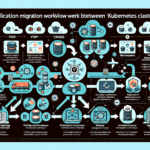
Visual Aid Placeholder: A diagram showing source storage, migration tool, staging area, and target storage with bidirectional sync arrows.
By following this process, I’ve consistently migrated multi-petabyte environments without downtime, whether moving between on-prem SAN arrays, upgrading NAS appliances, or shifting workloads to cloud object stores. The key is preparation, testing, and a rollback plan—because in enterprise storage, surprises are expensive.
Ali YAZICI is a Senior IT Infrastructure Manager with 15+ years of enterprise experience. While a recognized expert in datacenter architecture, multi-cloud environments, storage, and advanced data protection and Commvault automation , his current focus is on next-generation datacenter technologies, including NVIDIA GPU architecture, high-performance server virtualization, and implementing AI-driven tools. He shares his practical, hands-on experience and combination of his personal field notes and “Expert-Driven AI.” he use AI tools as an assistant to structure drafts, which he then heavily edit, fact-check, and infuse with my own practical experience, original screenshots , and “in-the-trenches” insights that only a human expert can provide.